When deploying ADSelfService Plus in an enterprise environment, one of the first things I wanted to do was replace the default self-signed SSL certificate with a certificate issued by our internal Windows Certificate Authority. Here’s how I did it—step-by-step.
🎯 Why Replace the Default Certificate?
The default self-signed certificate:
- Triggers browser warnings
- Isn’t trusted across the domain
- Can’t be easily managed through group policy
Using our internal CA lets me:
- Eliminate security warnings
- Ensure trusted communication
- Easily manage and renew certificates
🔧 Step-by-Step: Replace ADSelfService Plus Certificate Using Internal CA
🔹 Step 1: Generate a Certificate Signing Request (CSR)
- Open ADSelfService Plus Web GUI.
- Go to Admin → Connection → HTTPS Configuration.
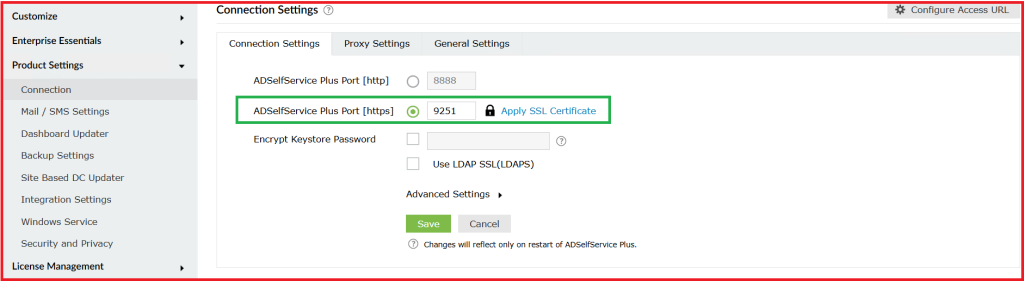
3. Click Create Certificate → Choose Generate CSR.
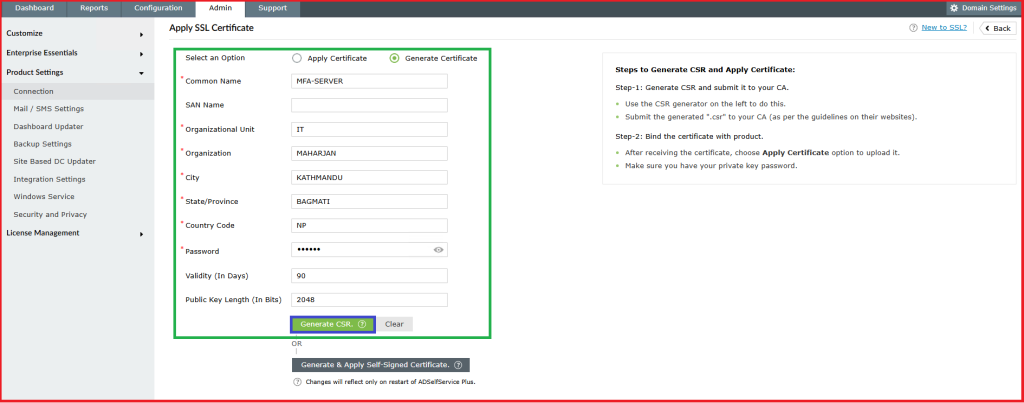
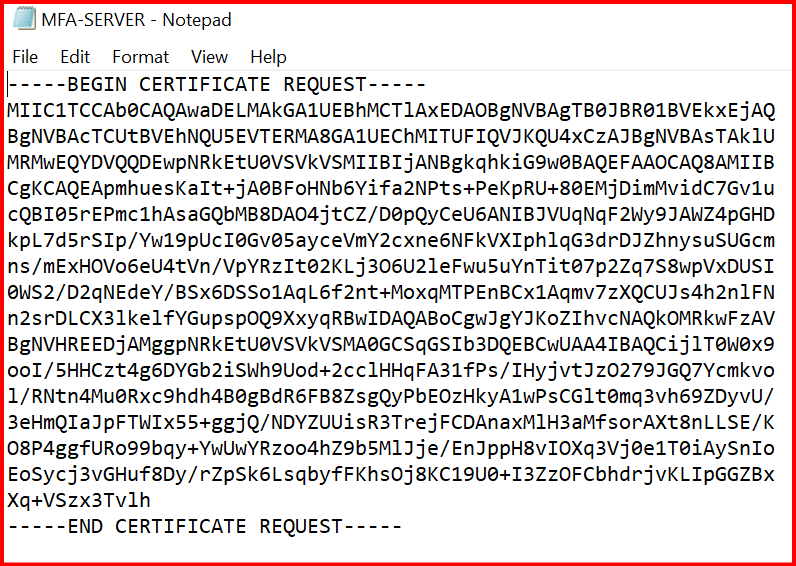
4. Click Create CSR and download the .csr file.
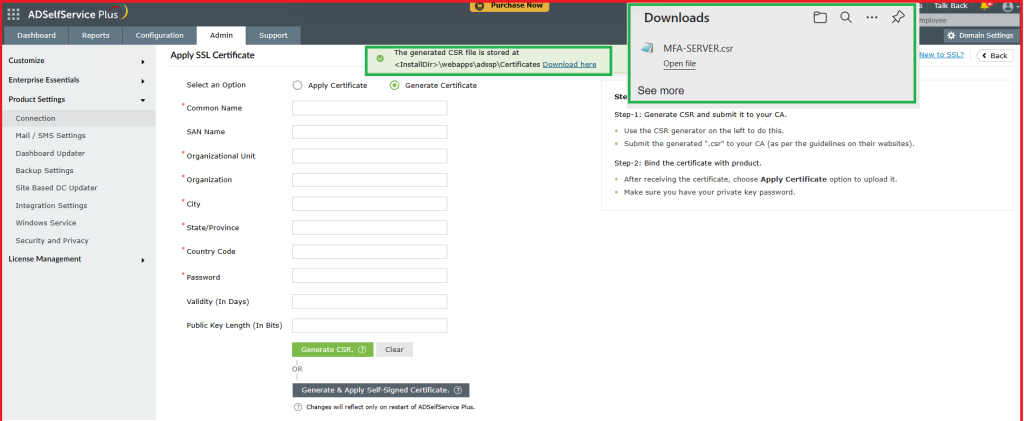
🔹 Step 2: Submit the CSR to the Internal CA
- Open your internal CA web portal:
http://<CA-Server>/certsrv
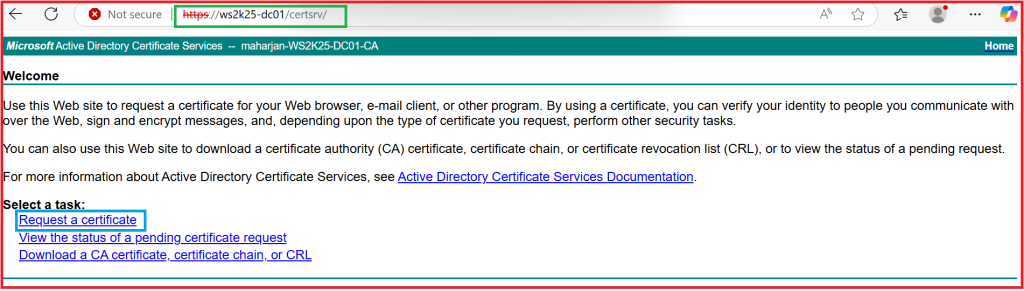
2. Click Request a certificate → Advanced certificate request.
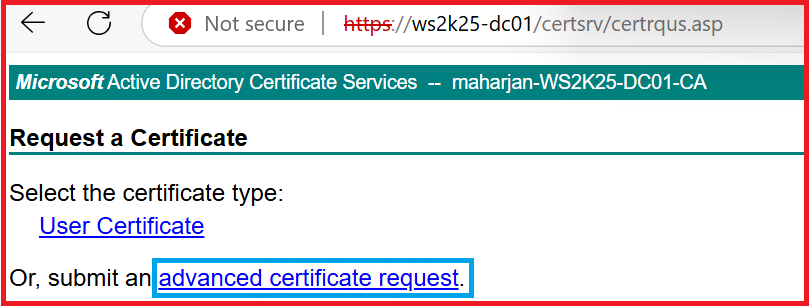
3. Choose Submit a certificate request.
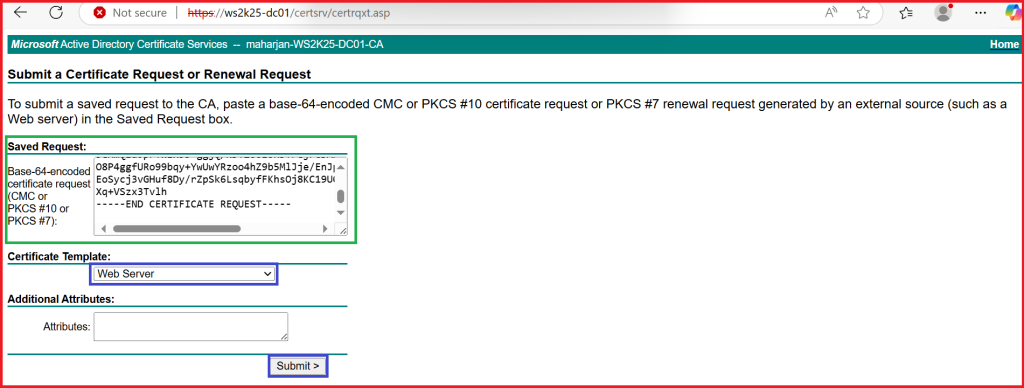
4. Paste the content of the .csr file OR upload it.
5. Choose the appropriate Web Server certificate template.
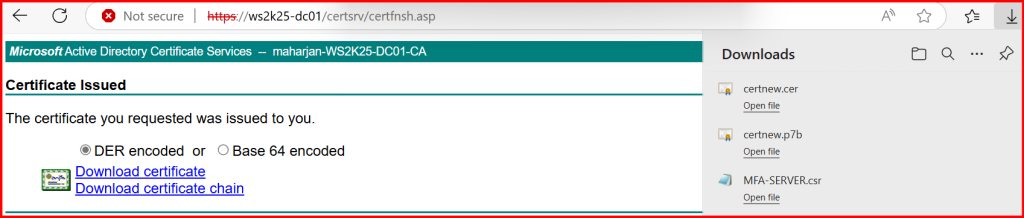
6. Submit and download the certificate (Download Certificate Chain)

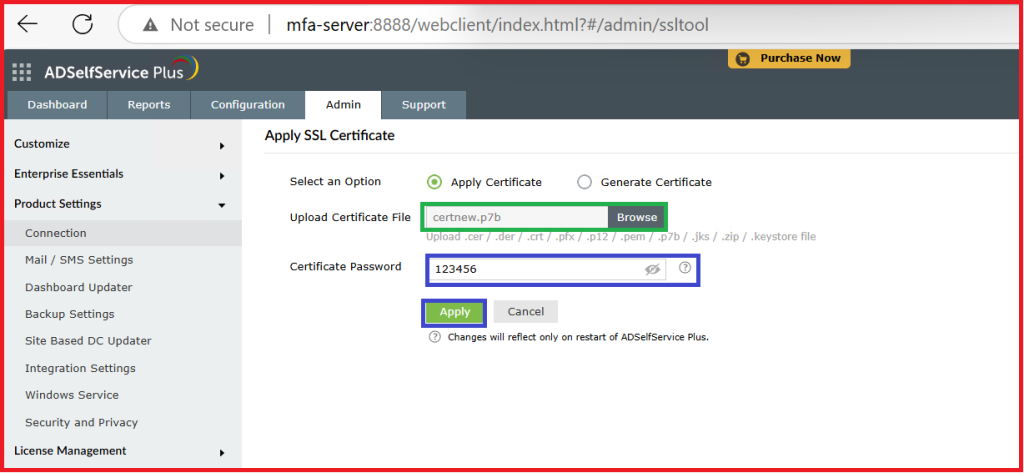
🔹 Step 3: Import the Certificate into ADSelfService Plus
- Go back to Admin → Connection → HTTPS Configuration.
- Click Import Certificate → Import a CA-signed Certificate.
- Upload the
.cerfile. - Upload the private key file if requested (it was generated with the CSR).
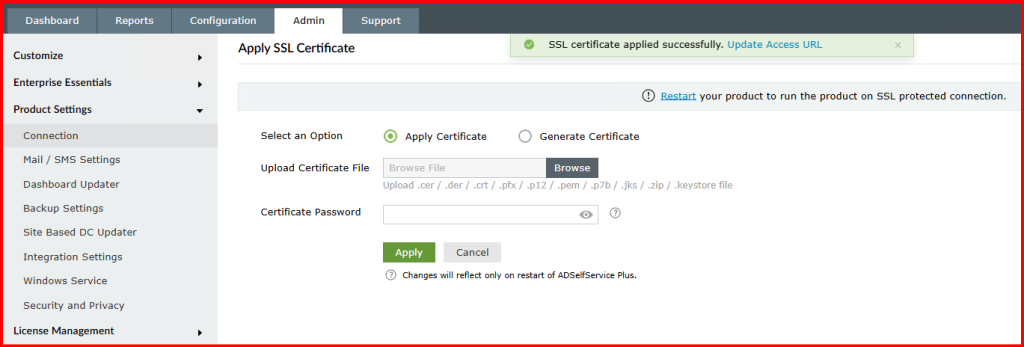
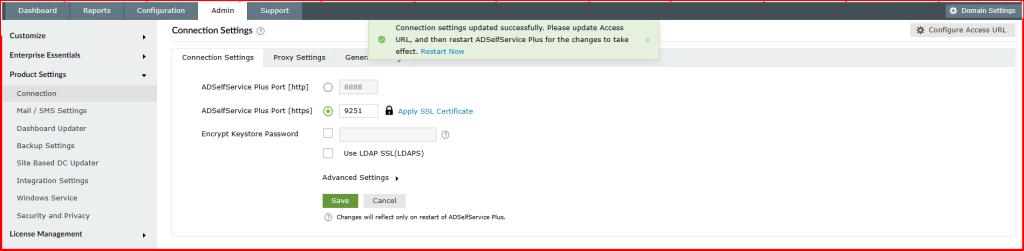
- Restart the ADSelfService Plus service to apply the changes.
🔹 Step 4: Verify Everything
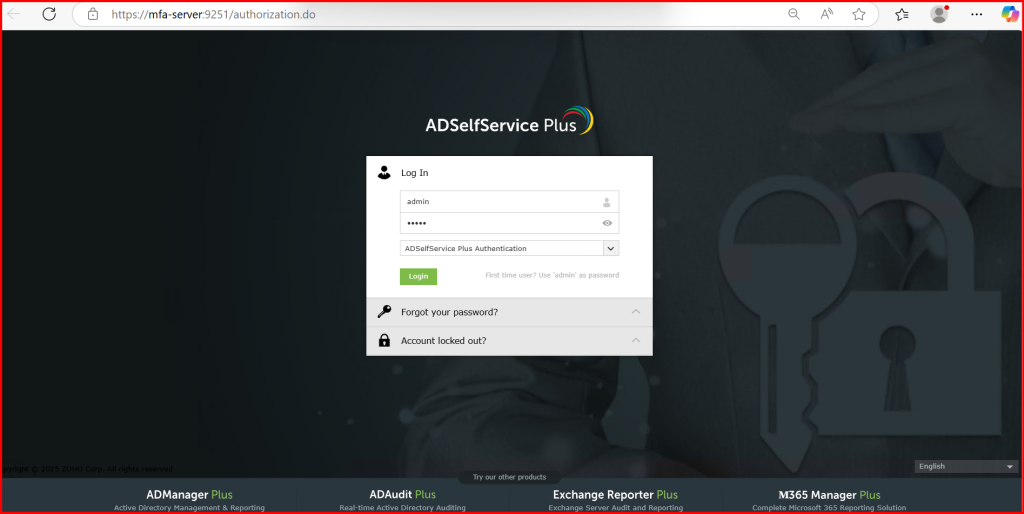
- Access the ADSelfService Plus portal via HTTPS:
https://adself.mydomain.com:9251 - Ensure there are no certificate warnings.
- Confirm the certificate chain is trusted in your browser.
✅ Tips & Notes
- Use Group Policy to deploy the internal CA root certificate to all domain computers.
- Set a reminder to renew the certificate before it expires.
- You can automate renewal via scripting or CA web services if needed.
📌 Conclusion
Replacing the default self-signed certificate in ADSelfService Plus with an internal CA certificate greatly improved security and user experience. If your environment has a Windows PKI in place, it’s a no-brainer to leverage it for trusted SSL deployments.