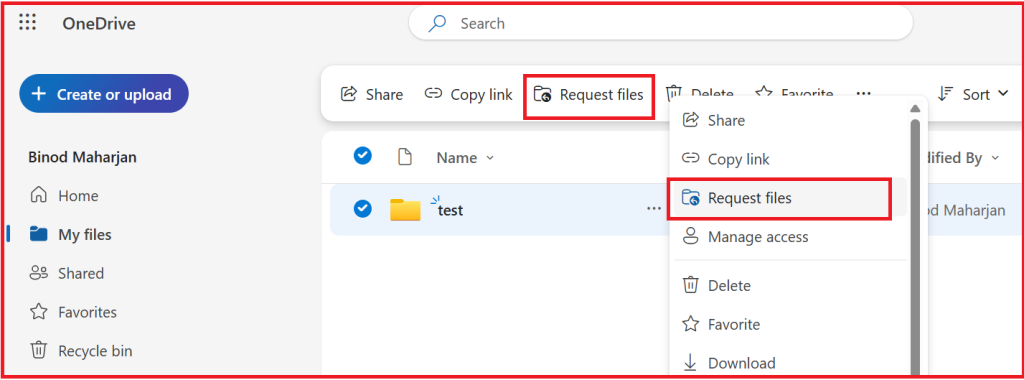
Today, I received a support ticket regarding the missing “Request Files” option in OneDrive for Business for certain M365 tenants. In some tenants, this option is available:
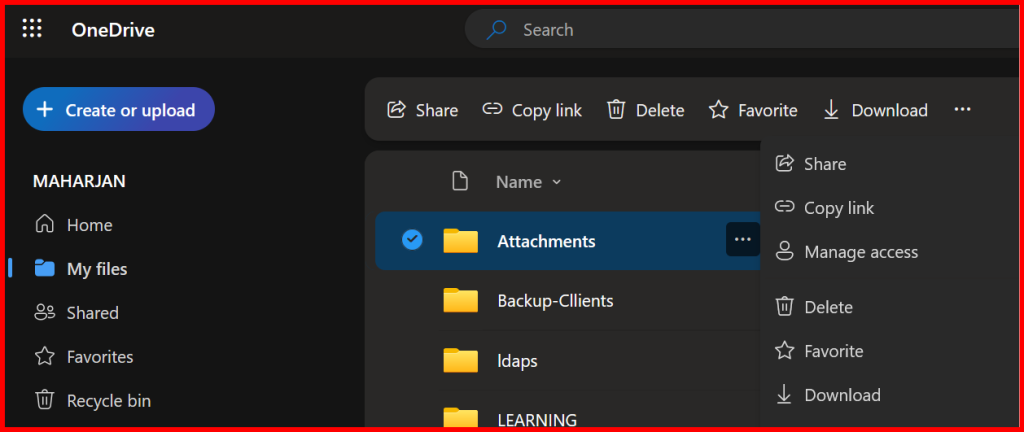
However, in one tenant, the “Request Files” option in OneDrive is not available. Both tenants have the same subscription, and there is no issue history or relevant information in the Message Center. Below is a screenshot showing the missing option:
Understand what “Request Files” does?
The Request files feature lets you create a special folder link where anyone can upload files (without seeing the folder contents).
✅ Available only in OneDrive for Business (not personal).
⚠️ Works only in the browser, not the sync client or mobile app.
Quick Workaround 1:
Check External Sharing in OneDrive for Business
1️⃣ Go to Microsoft 365 Admin Center
- Sign in to your Microsoft 365 Admin Center → https://admin.microsoft.com
- In the left pane, expand Admin centers → click SharePoint
(This opens the SharePoint Admin Center, where OneDrive settings live.)
2️⃣ Check Organization-Wide Sharing Settings
- In the SharePoint Admin Center, select:
- Policies → Sharing
- Under Sharing settings, you’ll see two sliders:
- SharePoint
- OneDrive
➡️ The sliders range from:
Anyone → New and existing guests → Existing guests only → Only people in your organization
🔹 If OneDrive is set to “Only people in your organization”, external sharing is disabled.
🔹 For Request files to work, it must be set to “Anyone”.
What i did is:
Slight change from anyone to New and exisitng guests.
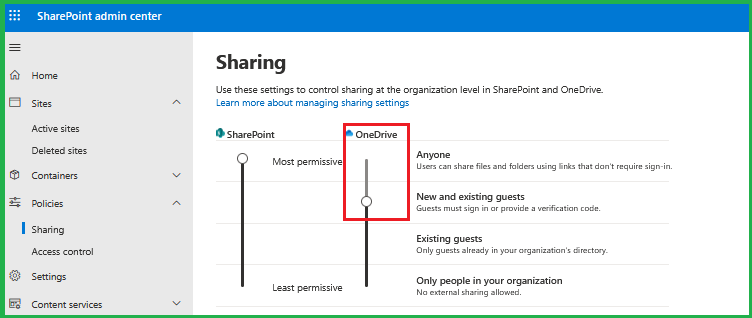
save it and checking the option.
Note: Changing the external sharing setting from “Anyone” to a more restrictive option disables the “Request Files” feature.
So, i revert back to Anyone Sharing Setting and checking again.
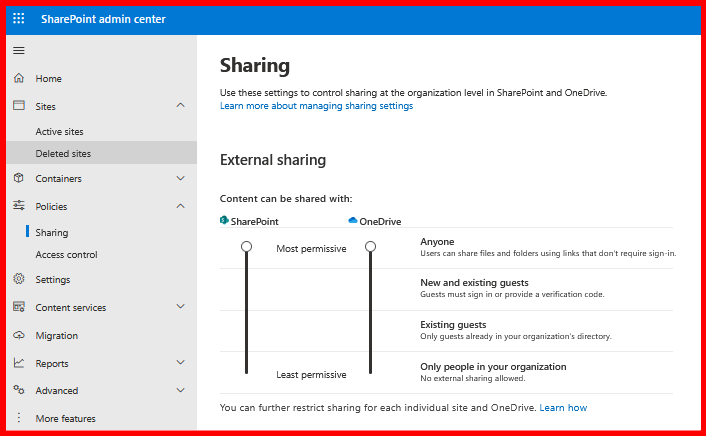
I refreshed the OneDrive portal page and check the missing option.
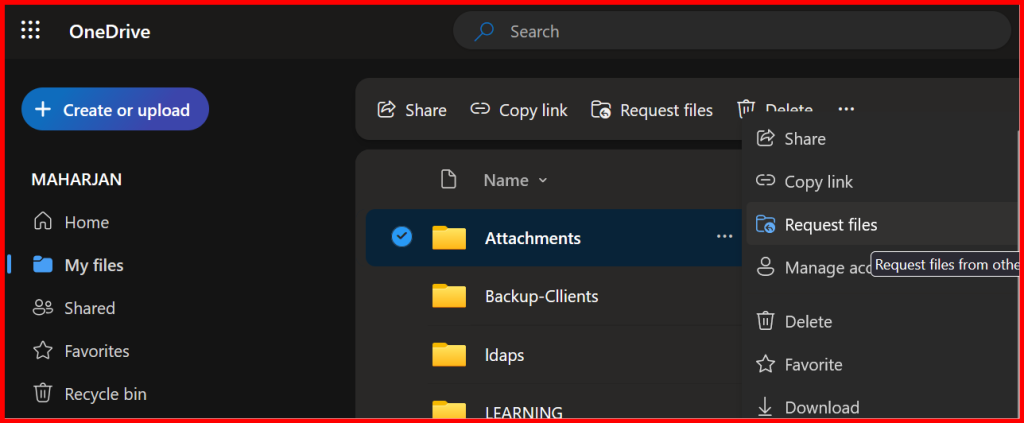
Okay got it Issue Resolved.
💡 What You Should See for “Request Files” to Work
| Setting | Required Value |
|---|---|
| SharePoint Sharing | Anyone |
| OneDrive Sharing | Anyone |
| FileRequestEnabled | True |
If output is:
Disabled→ External sharing is off.ExistingExternalUserSharingOnly→ Limited to invited guests.ExternalUserSharingOnly→ Guests only.ExternalUserAndGuestSharing→ Anyone (✅ required for file request).