Data Loss Prevention (DLP) rules have a bit of a bad reputation among everyday employees. Traditionally, when a DLP rule detects sensitive data—like a credit card number—leaving the organization, it flat-out blocks the message. The user gets an intimidating notification, their workflow grinds to a halt, and the IT helpdesk gets an angry ticket.
But cybersecurity doesn’t have to be a bottleneck.
Instead of playing the role of the strict gatekeeper, you can configure Microsoft Purview DLP to act as a secure escort. In this guide, we’ll look at a smarter scenario: allowing internal employees to share credit card numbers freely, but automatically forcing strong email encryption the moment that data tries to cross the organizational border.
The Core Logic: Shifting from “Block” to “Encrypt”
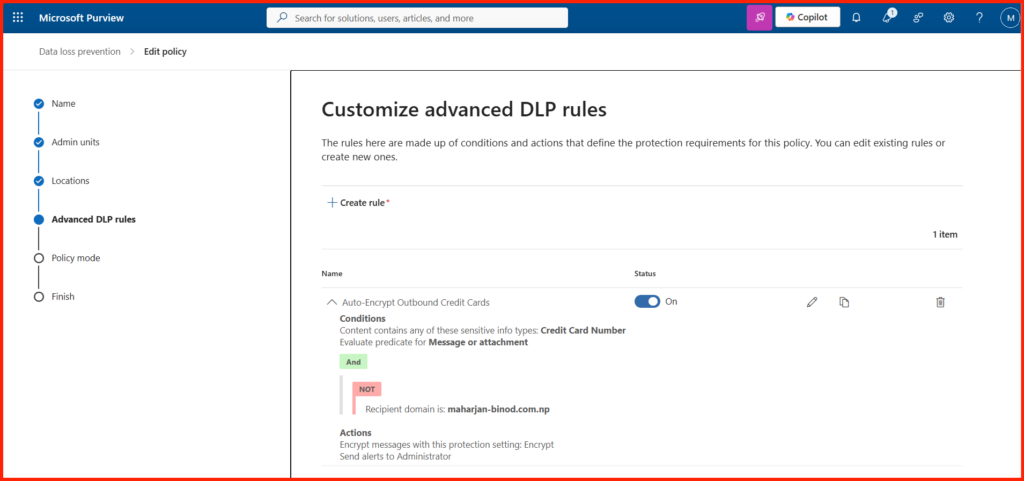
Instead of building complex, nested logic strings separating who can talk to whom within the company, this workflow uses a clean, linear approach. It targets the location of the data rather than individual department identities.
| Rule Trigger Components | Configured Element |
| Sensitive Info Type | Credit Card Number |
| Traffic Direction | Recipient is located: Outside the organization |
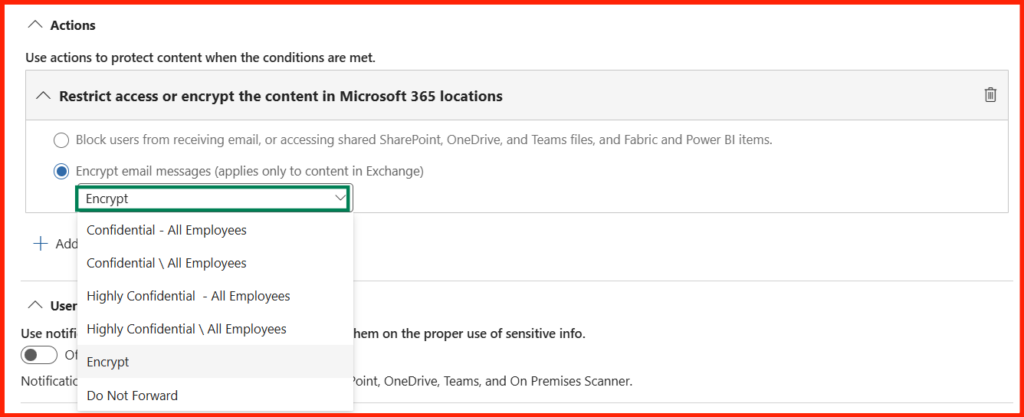
| Enforcement Action | Apply Office 365 Message Encryption |
By swapping a “Restrict/Block” action for a “Modify Message Security” action, users don’t get blocked. Instead, Exchange Online catches the outbound traffic, wraps it in a secure wrapper, and ensures it stays encrypted all the way to the external destination.
Implementation DLP Rule:
Step-by-Step Blueprint: The Live Testing Framework
To prove this rule works flawlessly without breaking day-to-day operations, you can run it through three distinct real-world test scenarios.
Scenario 1: The Frictionless Internal Pass
- The Goal: Ensure internal collaboration is completely untouched.
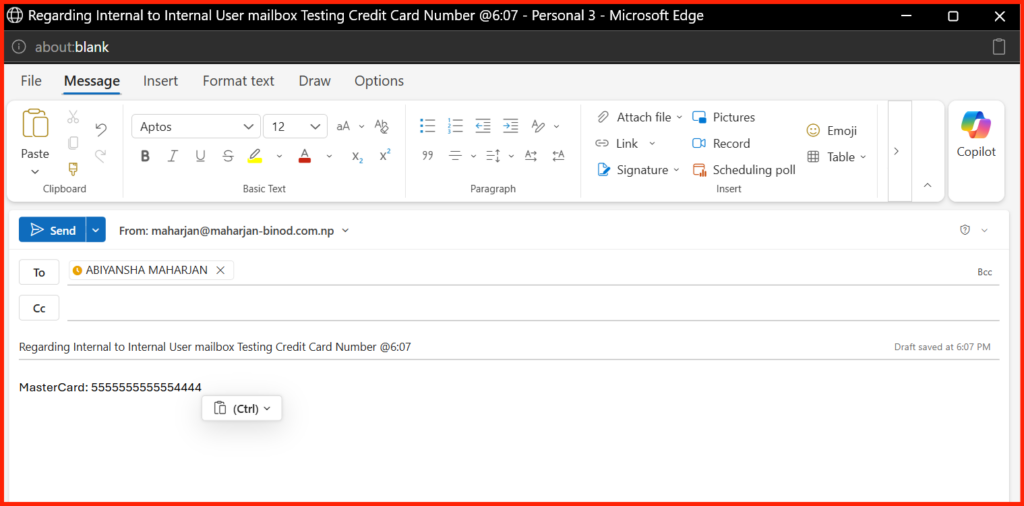
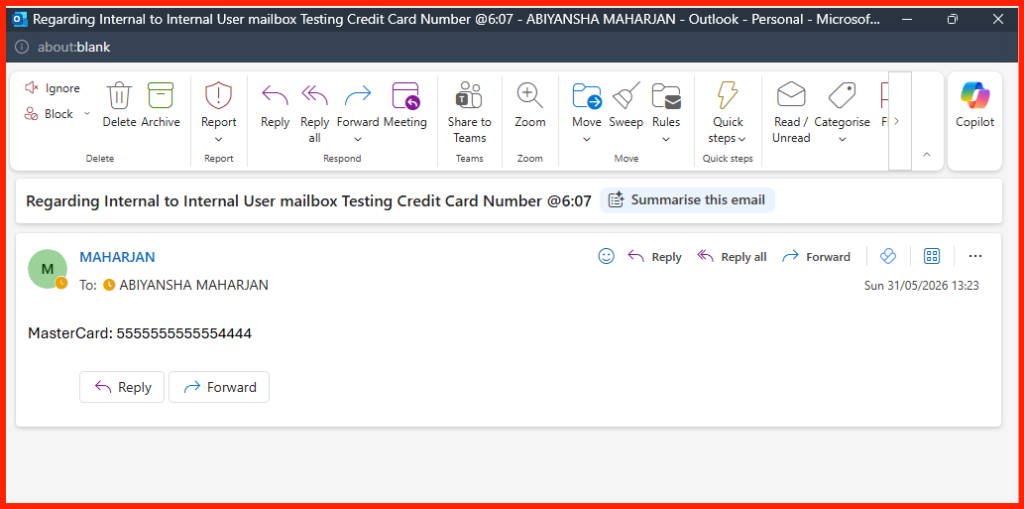
- The Test: An employee drafts an email containing a valid test credit card number and sends it to a colleague using an internal domain mailbox.
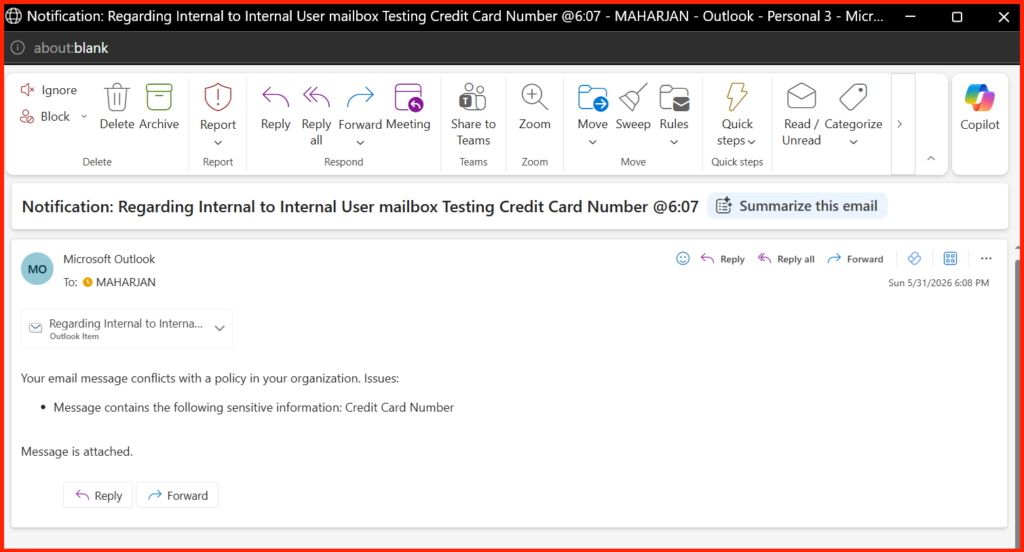
- The Result: The email is delivered instantly. It arrives completely unencrypted, proving that internal workflows remain unbothered.
Sender Sent Mail:
Sender received the Notification email:
Recipient Side:
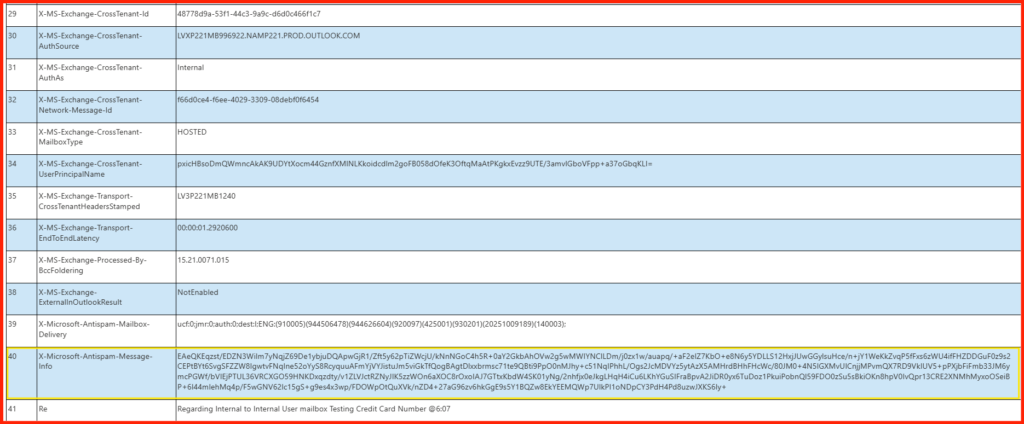
Message Header Analyzer report:
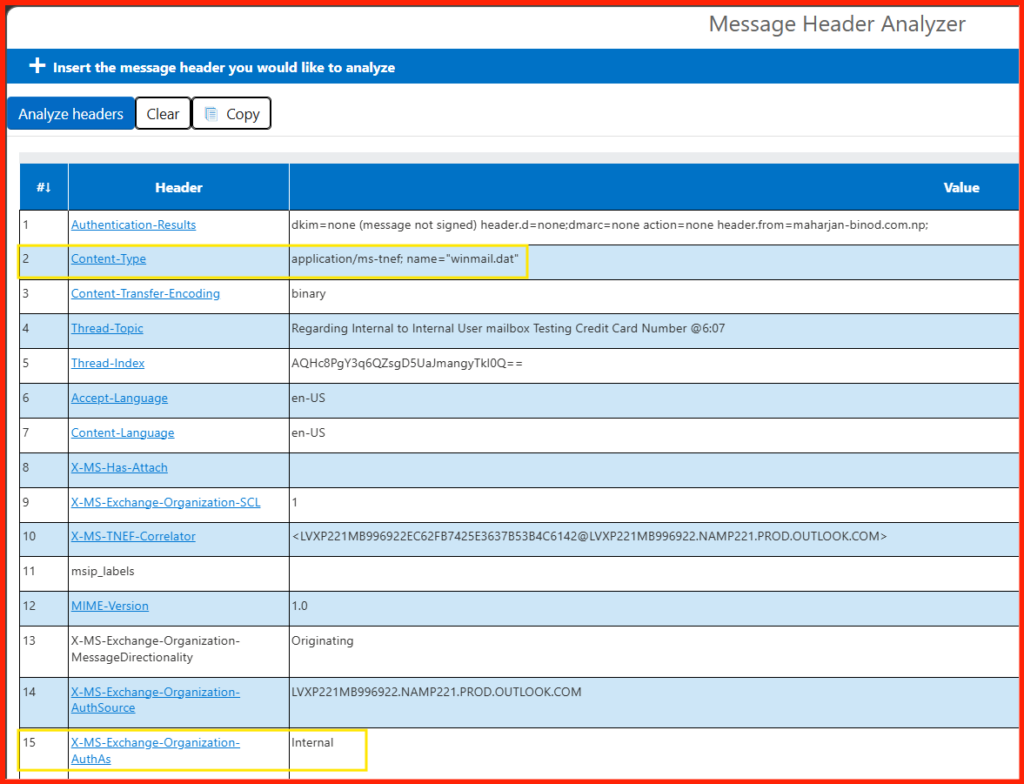
1. The Content Type Header
Look at this specific line from your header:
Content-Type: application/ms-tnef; name="winmail.dat"
- What this means:
ms-tnef(TNEF) is a standard, native Microsoft Outlook rich-text format wrapper used to preserve formatting (like bold text or colors). It is formatting, not security encryption.
2. Missing Encryption Stamped Headers
When Microsoft 365 or Exchange Encrypts an email (via OME or Purview Message Encryption), it strips the original readable text and stamps the headers with explicit encryption markers.
- If it were encrypted, you would see
Content-Type: application/pkcs7-mimeor clearX-MS-Exchange-Organization-RightsManagementmarkers indicating a Rights Management policy was applied. None of those exist in this header.
3. Proof from the Antispam Engine
Look at this stamp from your header:
X-Microsoft-Antispam-Message-Info: EAeQKEqzst/EDZN3...
- What this means: The antispam and compliance system was able to fully scan the message body, read the text, and generate a diagnostic hash string. If the email body had been encrypted by a DLP rule, the antispam engine would not have been able to process the raw internal contents in this manner.
Scenario 2: The Guardrail in Action (Outbound Encryption)
- The Goal: Verify that data leaving the company network is automatically locked down.
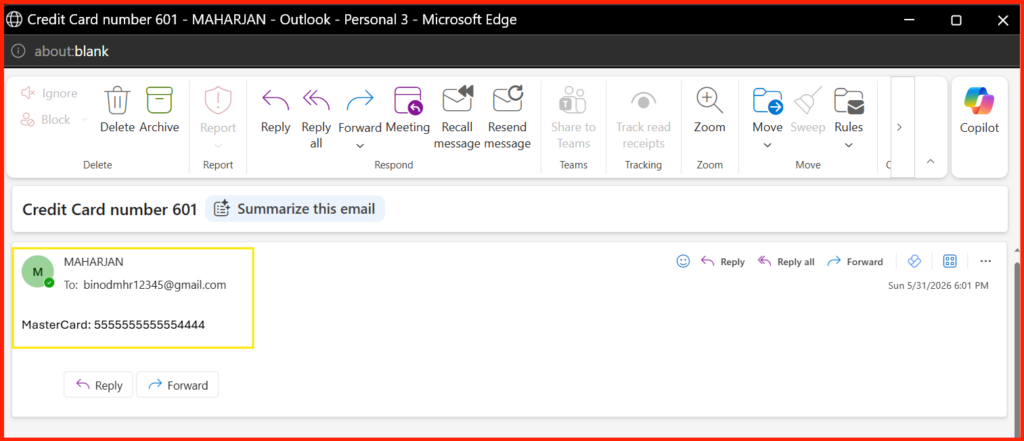
- The Test: Send an email containing that same test credit card number to an external personal address (like a personal
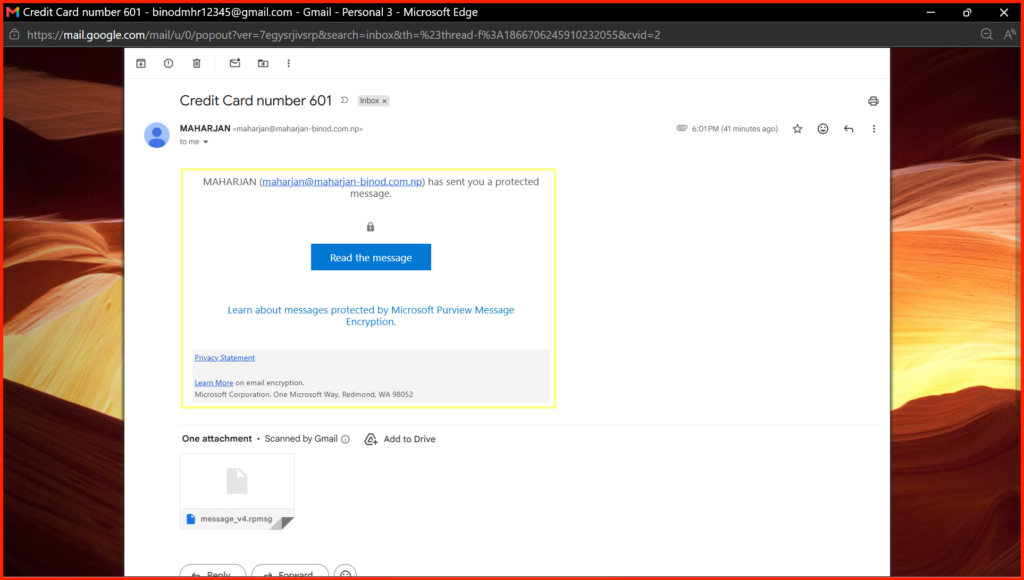
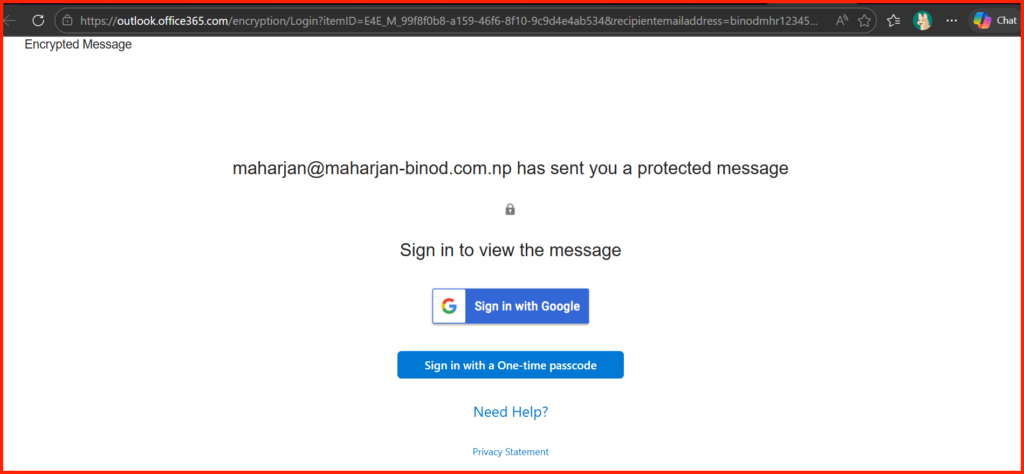
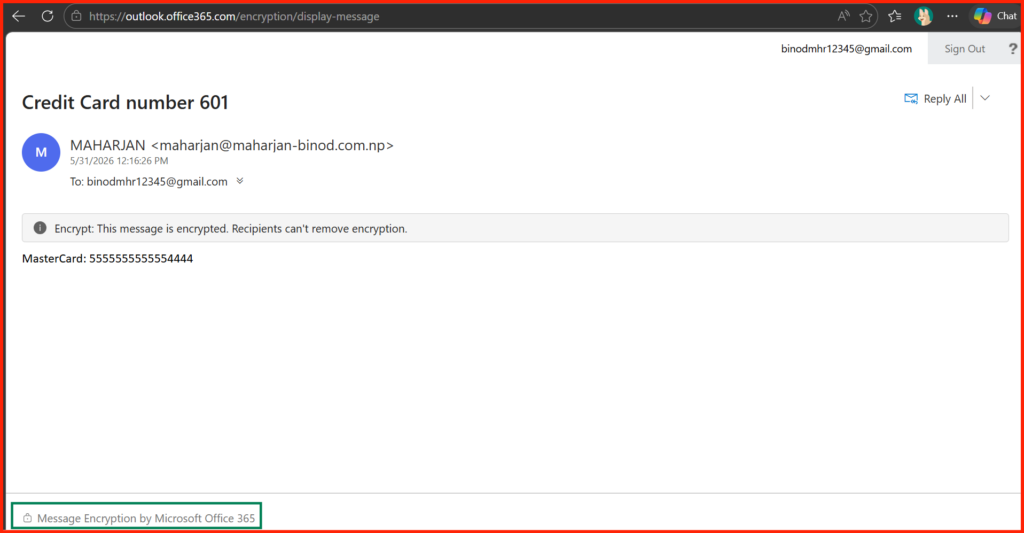
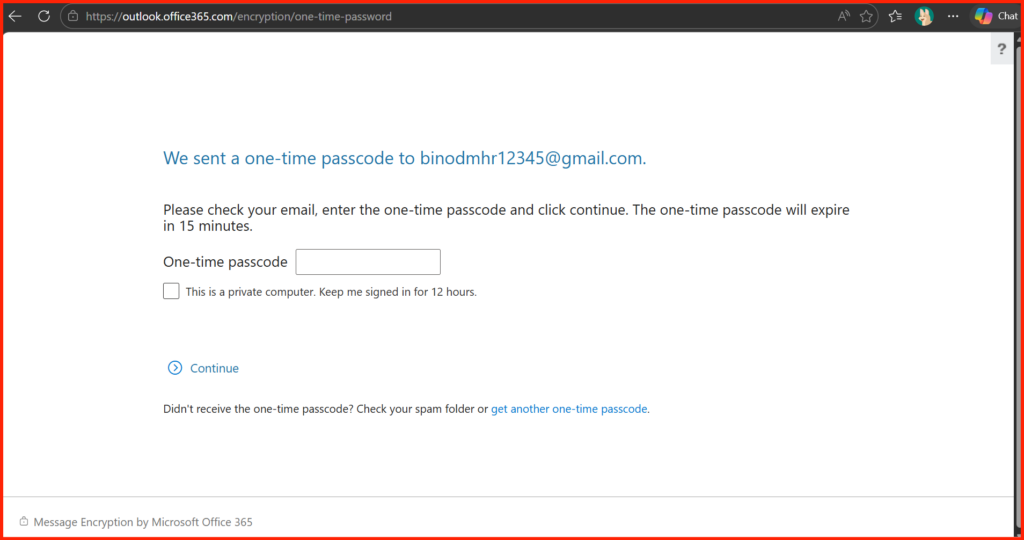
@gmail.comor@outlook.commailbox). - The Result: The email sends successfully without a block notification. However, when you open the external personal inbox, you are greeted with a secure login page: “You’ve received an encrypted message.” The recipient must authenticate or use a one-time passcode to see the sensitive data.
Sender Side:
Recipient Side:
Alternatively, OneTime Passcode login:
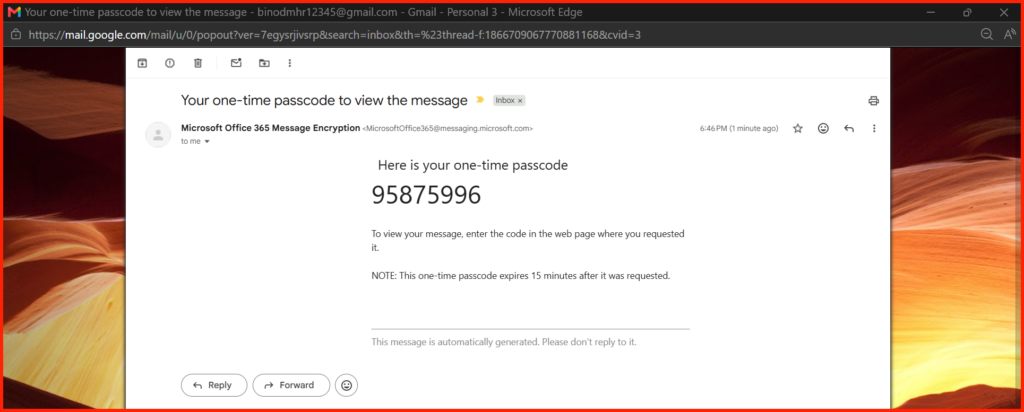
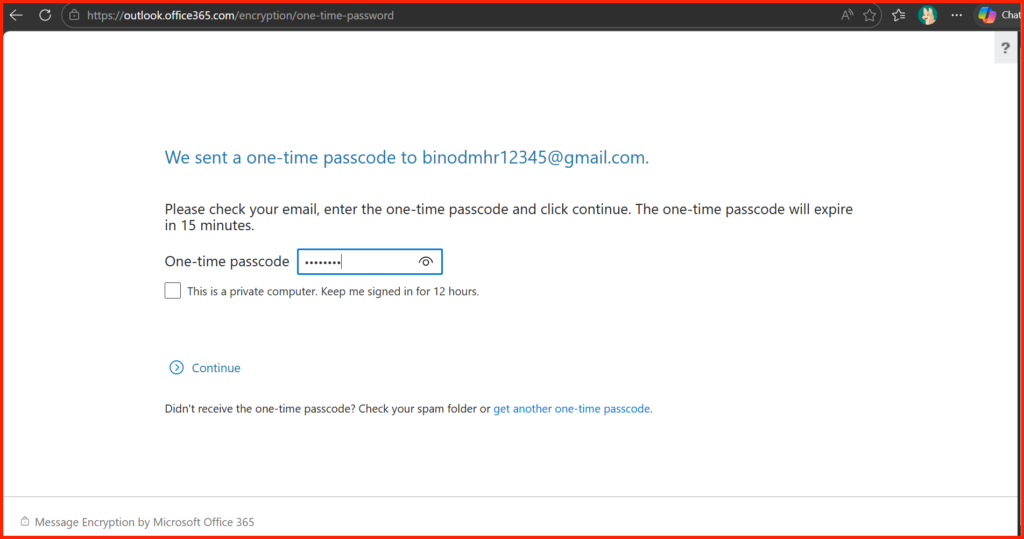
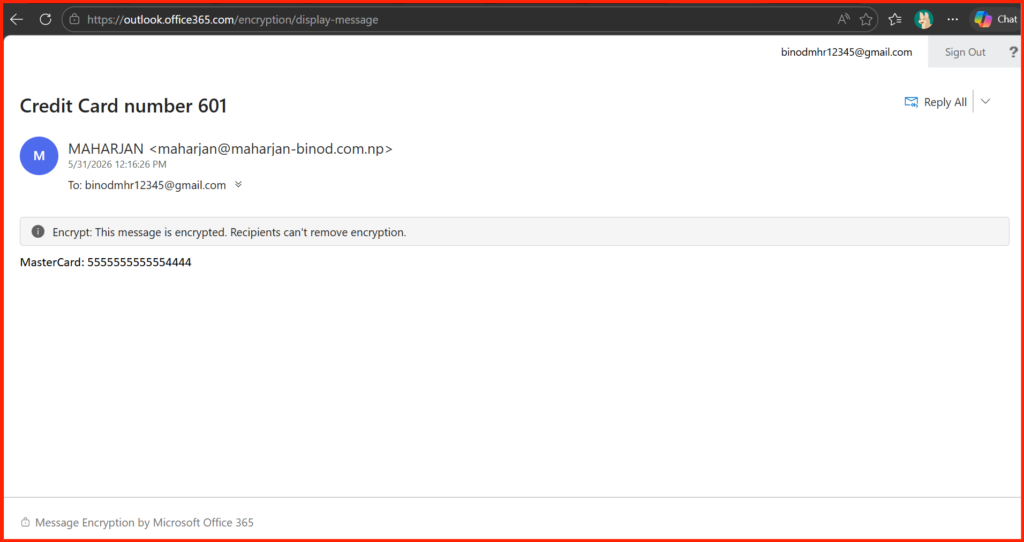
Done.
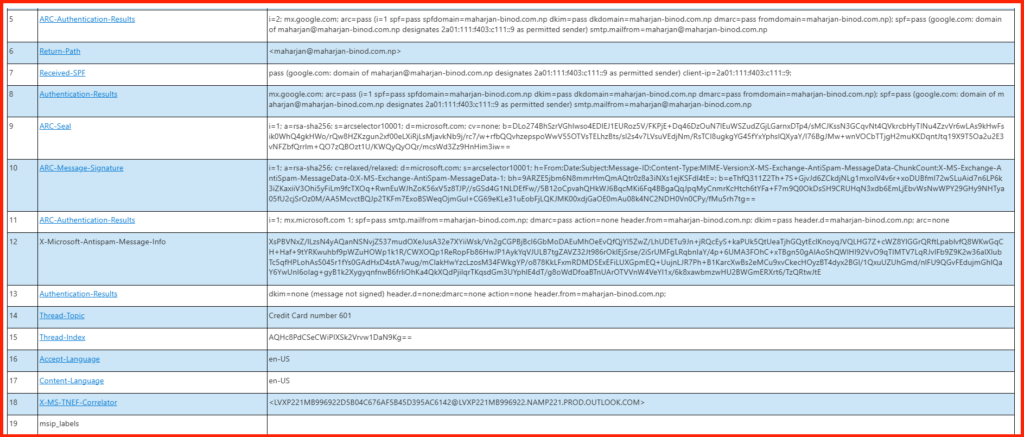
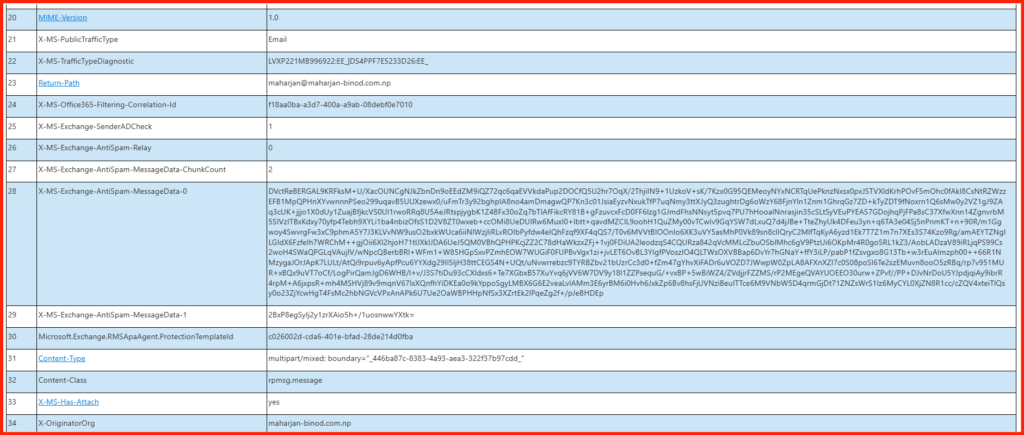
Message Header Analyzer Report:
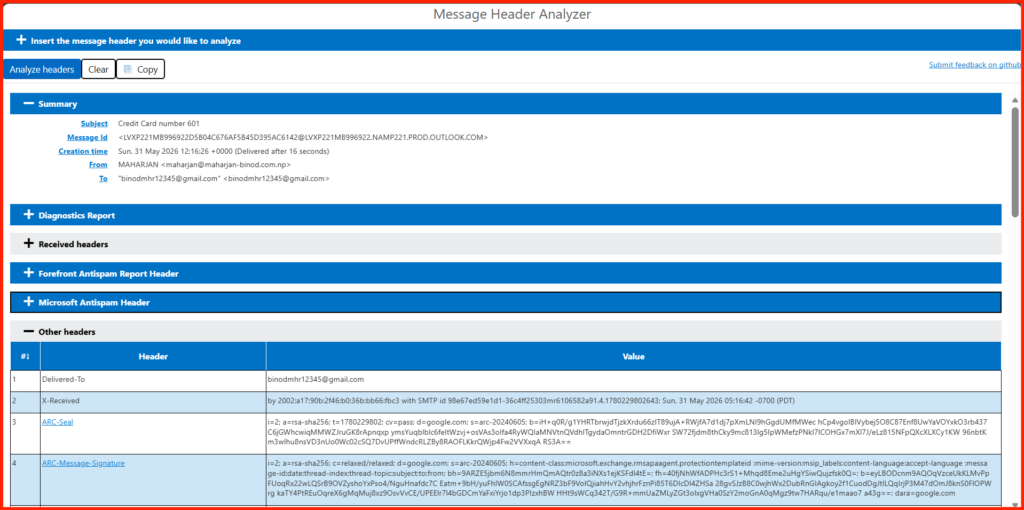
1. The Protection Template ID
This header line directly tells you that a backend automated encryption rule took control of the message:
Microsoft.Exchange.RMSApaAgent.ProtectionTemplateId: c026002d-cda6-401e-bfad-28de214d0fba
This indicates that a Rights Management Service (RMS) encryption template was hard-stamped onto the metadata.
2. The Native Encryption Wrapper (.rpmsg)
Look at how the actual content type is delivered at the bottom of the raw header:
Content-Type: application/x-microsoft-rpmsg-message; name="message_v4.rpmsg"Content-Disposition: attachment; filename="message_v4.rpmsg"
An .rpmsg file is the signature container extension for Microsoft’s cloud encryption. The actual message text containing your credit card number is completely locked inside this binary wrapper. Gmail cannot read it directly.
3. The Content Class Change
A normal text or HTML email uses standard MIME content types. This header was forcibly transformed into:
Content-Class: rpmsg.message
This tells the receiving email client that the content is a restricted, crypto-locked package requiring modern authentication to decode.
4. The Portal Redirection Body
Because Gmail cannot natively open a Microsoft .rpmsg file, Microsoft swapped the body out with an HTML secure envelope link. You can see it explicitly in the raw HTML payload:
MAHARJAN (maharjan@maharjan-binod.com.np) has sent you a protected message.<a href="[https://outlook.office365.com/Encryption/](https://outlook.office365.com/Encryption/)...
This email is 100% Encrypted.
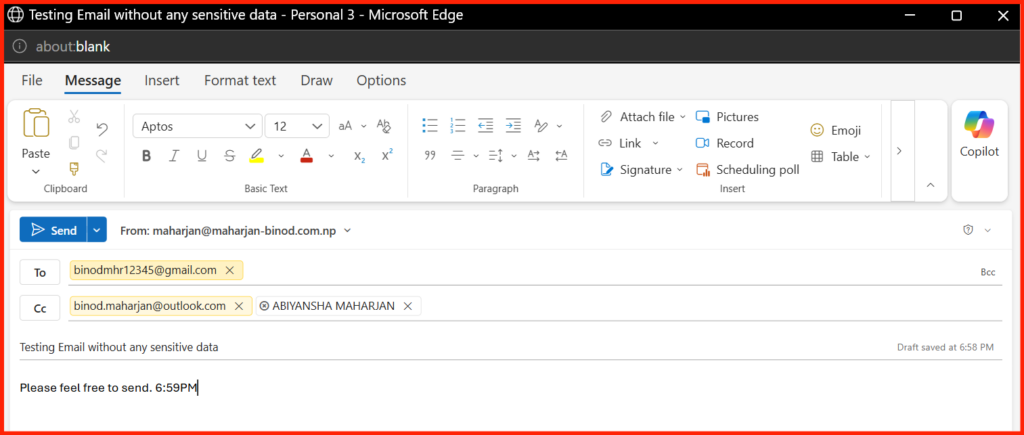
Scenario 3: The Casual Outbound Pass
- The Goal: Make sure the system isn’t over-encrypting everyday correspondence.
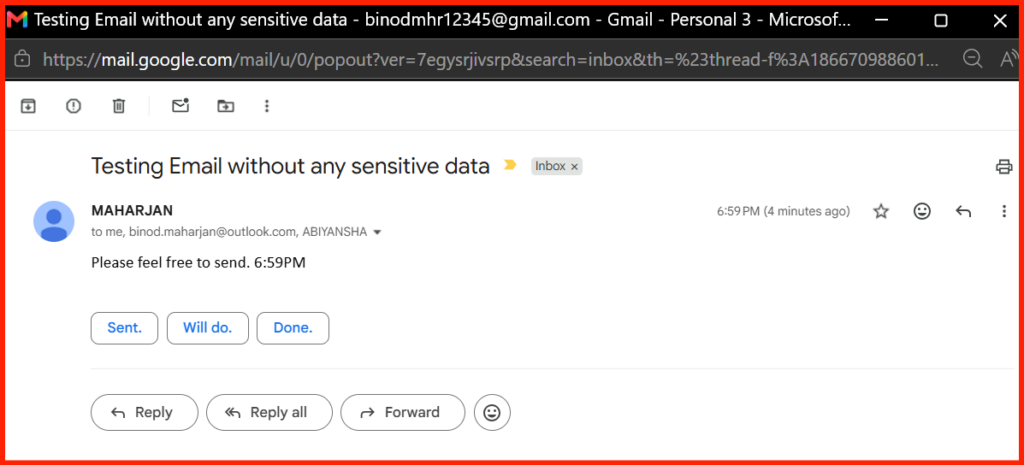
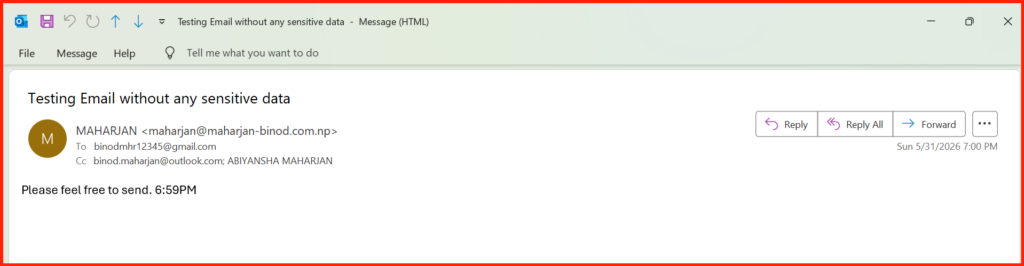
- The Test: Send a casual, text-only email to your external personal mailbox without any sensitive data or credit card numbers.
- The Result: The email arrives in your external inbox as regular, plain text. This confirms that encryption is applied intelligently and only triggers when a real risk is identified.
Sender Side:
Recipients Side:
First checking Internal Domain:
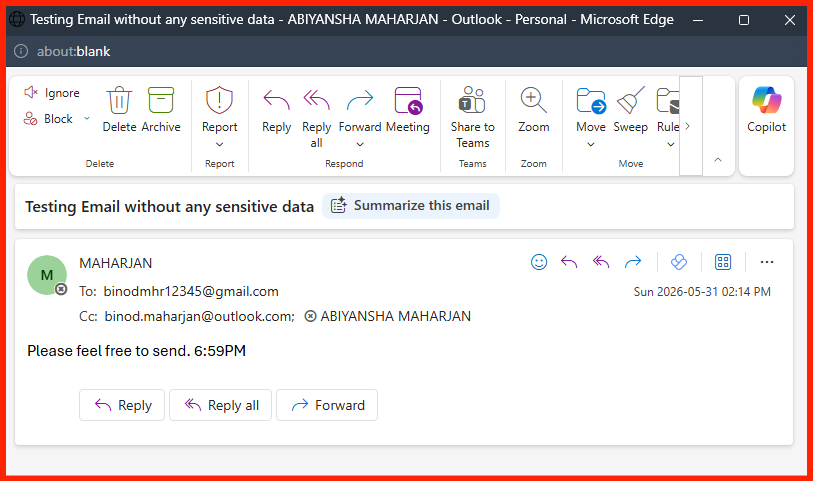
Second External Domain:
Final Thoughts: Security That Empowers
By transitioning your DLP architecture to this model, you strike the ultimate balance in corporate security: strong compliance boundaries on the outside, and high-velocity workflow efficiency on the inside. Your users get to do their jobs without interruption, and your compliance team can sleep soundly knowing sensitive data never hits the public internet exposed.
Have you deployed automated encryption templates in your tenant yet, or are you still relying on hard-blocking DLP rules? Let’s chat in the comments below!