Microsoft Teams has become the default hub for internal collaboration, which also makes it the easiest place for sensitive information to accidentally leak. A user drops a file into a chat to unblock a colleague, completely forgetting that it contains restricted financial data.
To prevent this, we need a targeted DLP policy that enforces a strict data boundary while still allowing your core financial and HR teams to do their jobs.
The Objective
We want to ensure that members of the Finance Department can share sensitive data with HR Department group members only. If anyone else attempts to share this data—or if Finance attempts to send it to an unapproved recipient—the system blocks it immediately.
Policy Configuration
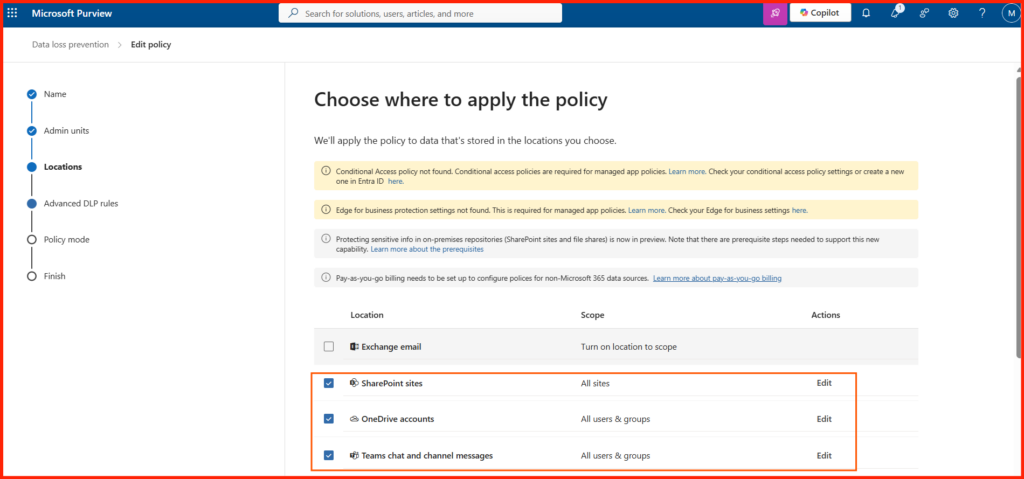
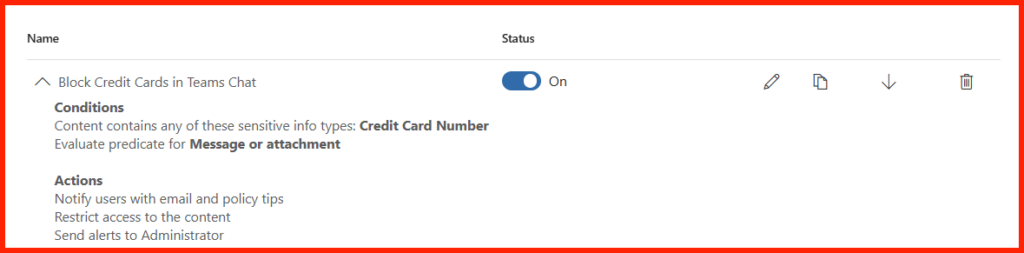
As shown in image, the policy rule “Block Credit Cards in Teams Chat” is explicitly configured to handle both text messages and file transfers:
- Conditions: The policy triggers if the content contains the Credit Card Number sensitive information type. Crucially, the rule is set to “Evaluate predicate for Message or attachment”—meaning it scans both typed chat text and uploaded files.
- Exceptions: To fit our scenario, an exception is added so that the rule bypasses enforcement only when the sender is a member of the Finance distribution group and the recipient is a member of the HR team mailbox.
- Actions: If a match occurs and the exception criteria are not met, three automated actions take place:
- Notify users with email and policy tips: The user is immediately alerted via a context-aware tip in their Teams client explaining why the action was flagged.
- Restrict access to the content: The message or file attachment is instantly blocked and masked from view.
- Send alerts to Administrator: Security Operations receives an automated alert for auditing and tracking.
Test Case 1: Standard Employee-to-Employee Chat & Channel
- The Action: A user in Marketing sends a direct message to a user in Sales containing a customer’s corporate credit card number for billing verification.
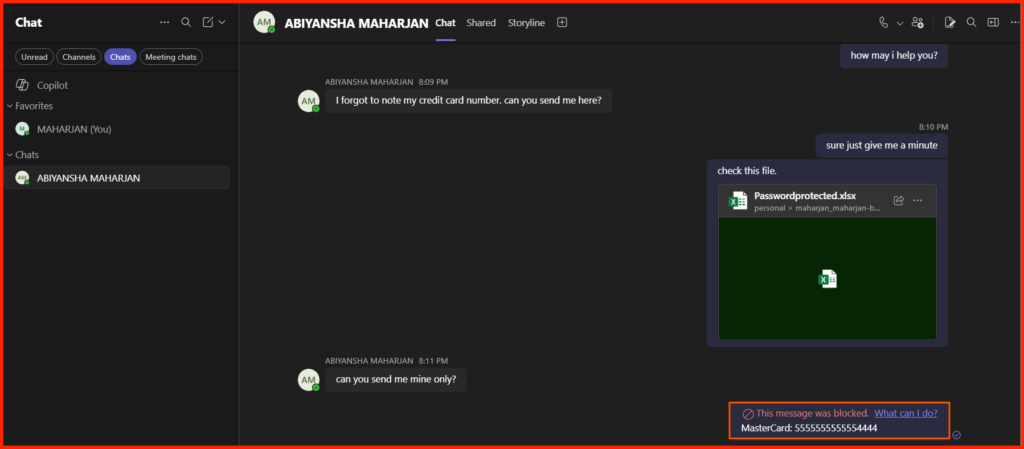
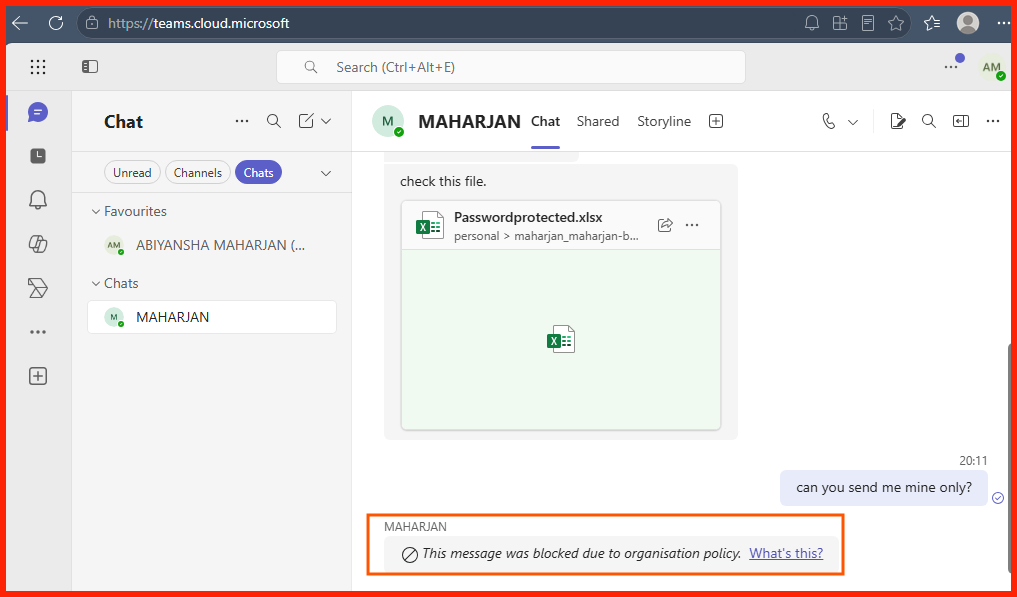
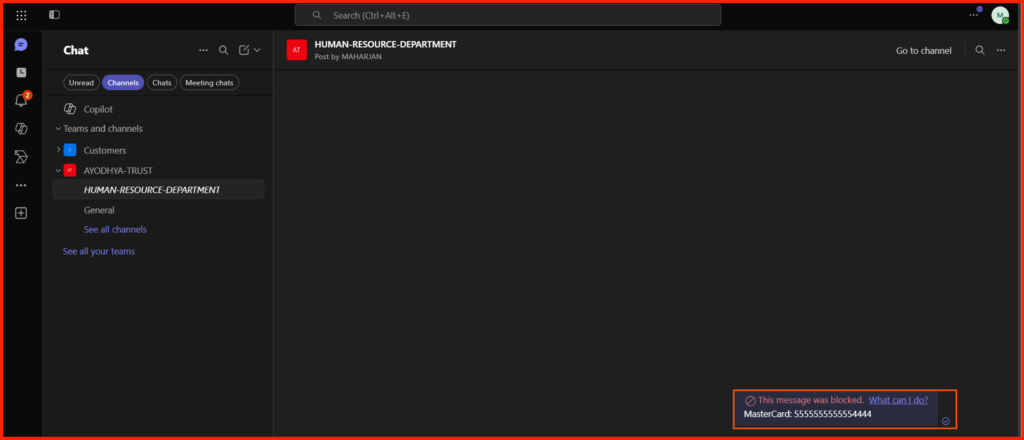
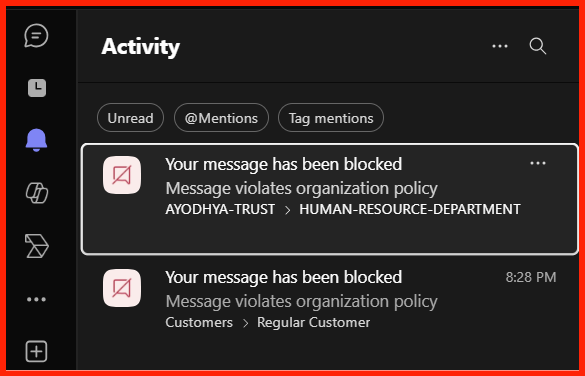
- The Result: BLOCKED. Because the policy evaluates both messages and attachments (as shown in image), the text or file is intercepted in real-time. The recipient sees a standard “This message was blocked by data protection policies” placeholder, and a policy tip triggers for the sender.
Sender Side:
Recipient Side:
What if in case, i shared in Channel Message?
Test Case 2: Internal Employee-to-External User Chat
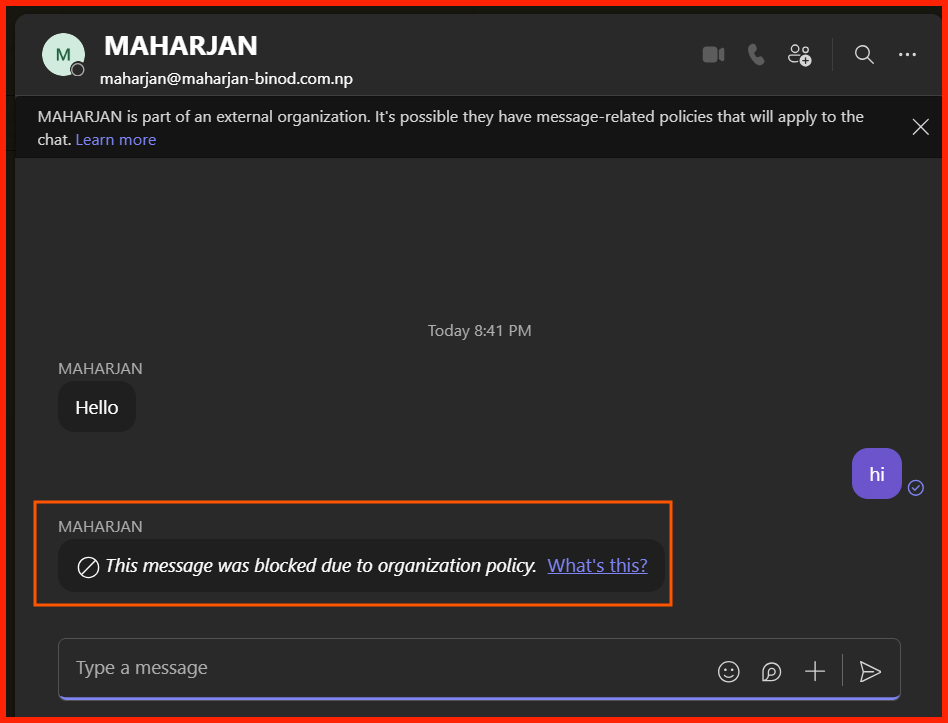
Sender Side: maharjan@maharjan-binod.com.np
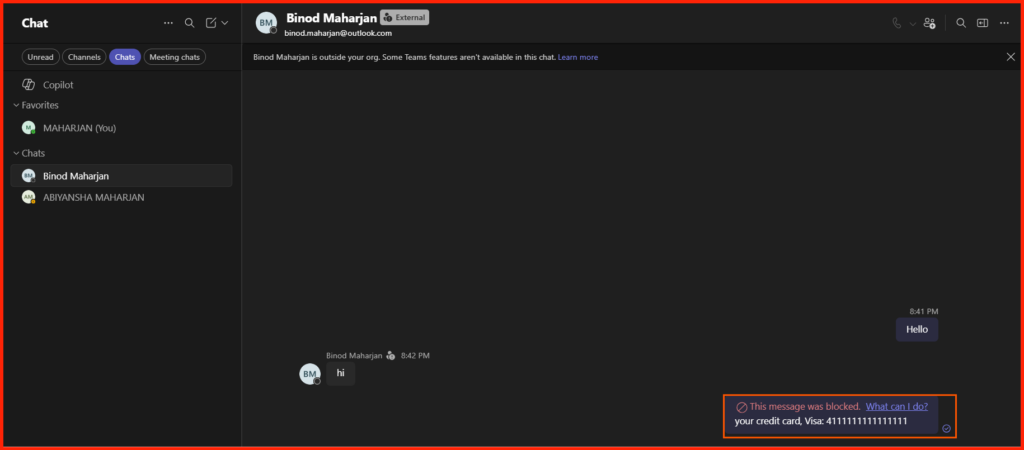
Recipient Side: binod.maharjan@outlook.com
Did you notice what happened during our test? Earlier, I shared an Excel file that contained actual card numbers, yet the system didn’t flag it.