We’ve all heard the advice: train your employees, and your data will be safe. But at MAHARJAN, the security team noticed a harsh reality—awareness alone isn’t enough to stop accidental data leaks. Human error happens, and when it involves credit card numbers or documents marked Highly Confidential, a single misclicked “Send” button can be catastrophic.
The challenge? Security can’t come at the cost of business velocity. The Finance team still needs to safely send data to their external auditor. In this post, we’re going to build a smart Data Loss Prevention (DLP) safety net: a strict, company-wide block on sensitive data that features a precision-engineered exception just for the between Finance & Auditor pipeline.
Scenario 1: The Guarded Gate To put this into practice, let’s look at our first rule setup. We want our mail system to scan every outgoing email and block it if it meets either of these triggers:
- It contains a credit card number.
- OR it has a ‘Highly Confidential’ sensitivity label attached.
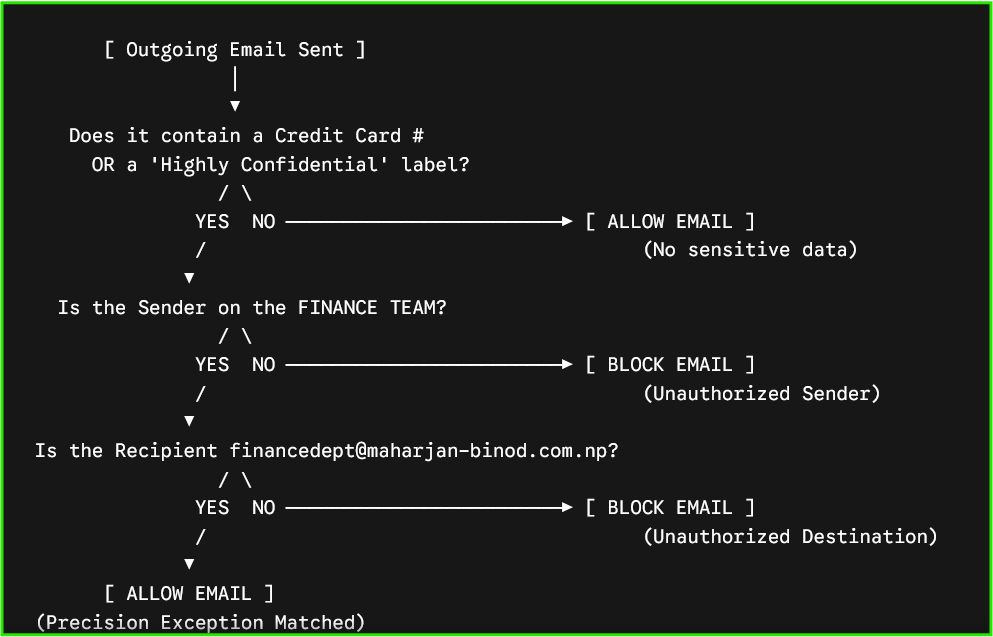
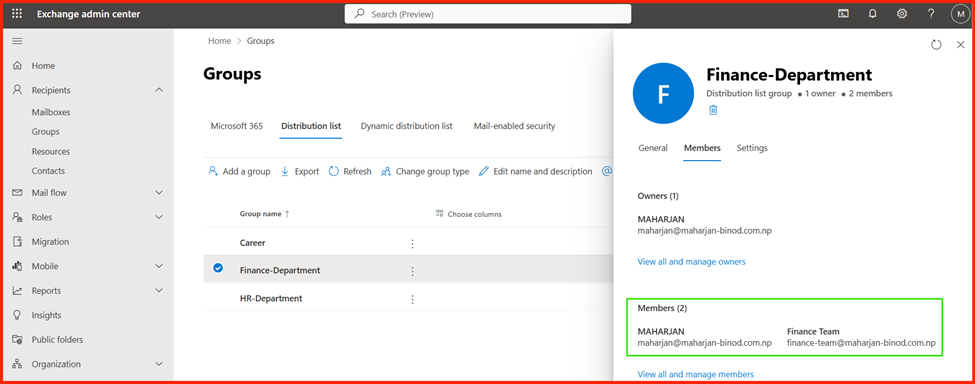
However, we must build in a precision escape hatch. The email should safely bypass this block only if it is sent by a member of our Finance Team directly to our external auditor at financedept@maharjan-binod.com.np
The Decision Tree Flow
The Logic Matrix Table
| Scenario | Sender Account | Recipient Address | Content Trigger Included? | Exception Status | Final Action |
| Test 1: Safe Pipeline | financedept group members | finance-team@maharjan-binod.com.np | Credit Card OR Label | Full Match (Authorized Sender + Group) | ALLOWED |
| Test 2: Finance Leak | finance-team@maharjan-binod.com.np | binodmhr12345@gmail.comor mhr-binod@outlook.com | Credit Card Number | ❌ Failed Match (Wrong Recipient) | 🛑 BLOCKED |
| Test 3: Non-Finance Leak | abi@maharjan-binod.com.np | Any Address | Credit Card Number | ❌ Failed Match (Unauthorized Sender) | 🛑 BLOCKED |
| Test 4: Isolated Label | abi@maharjan-binod.com.npor maharjan@maharjan-binod.com.np | mhr-binod@outlook.com | ‘Highly Confidential’ Label (No CCs) | ❌ Failed Match (Unauthorized Destination) | 🛑 BLOCKED |
Step-by-Step Implementation
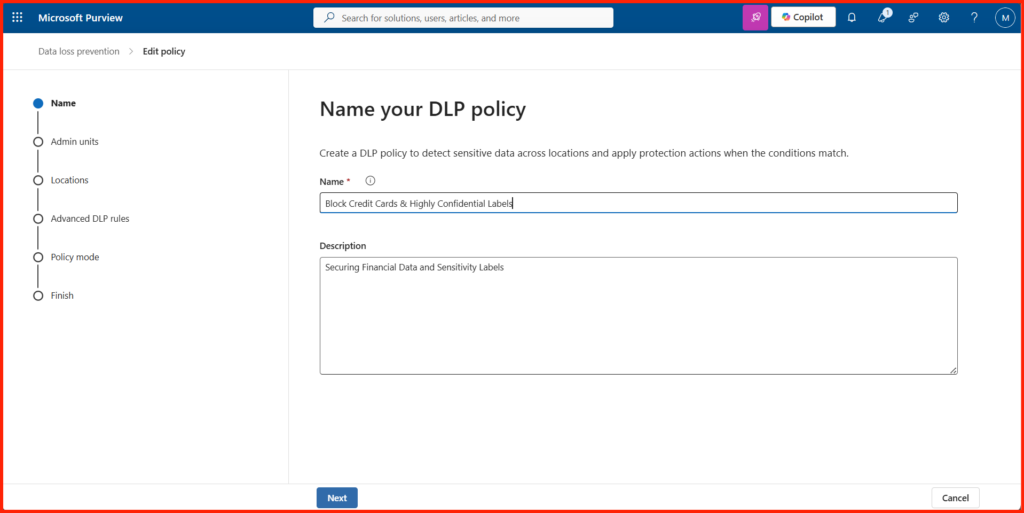
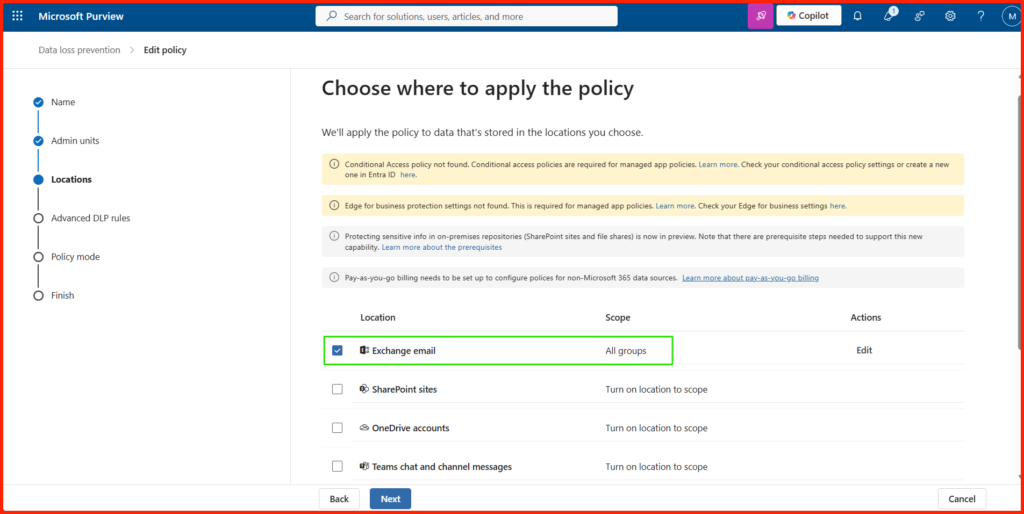
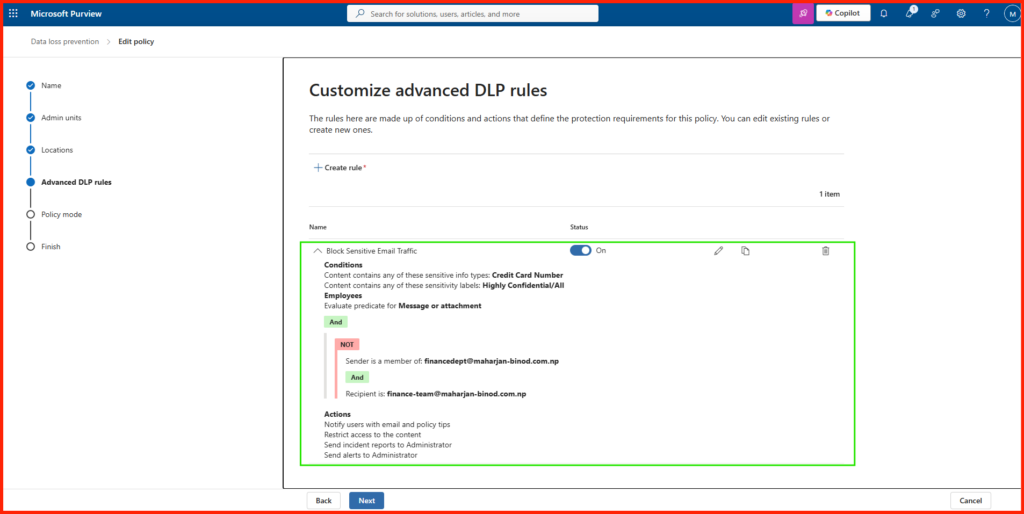
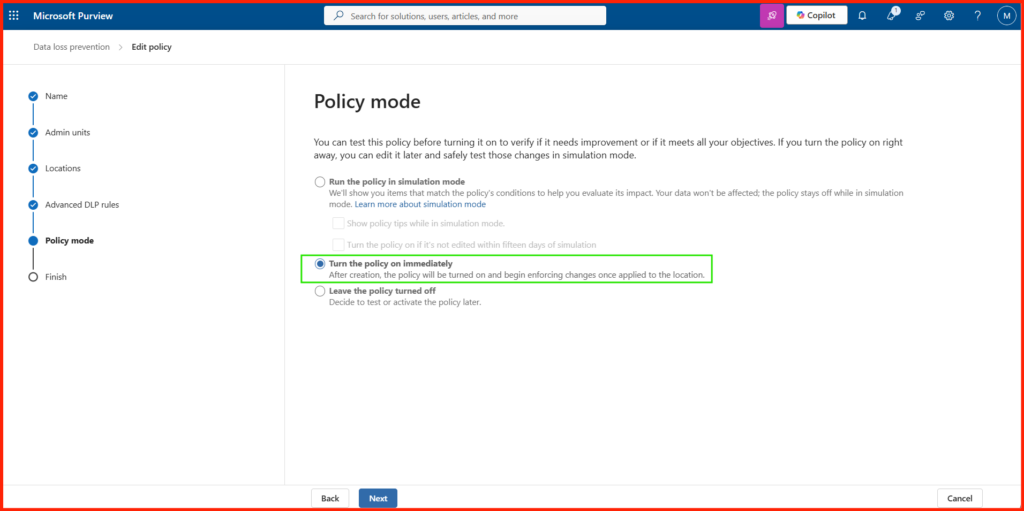
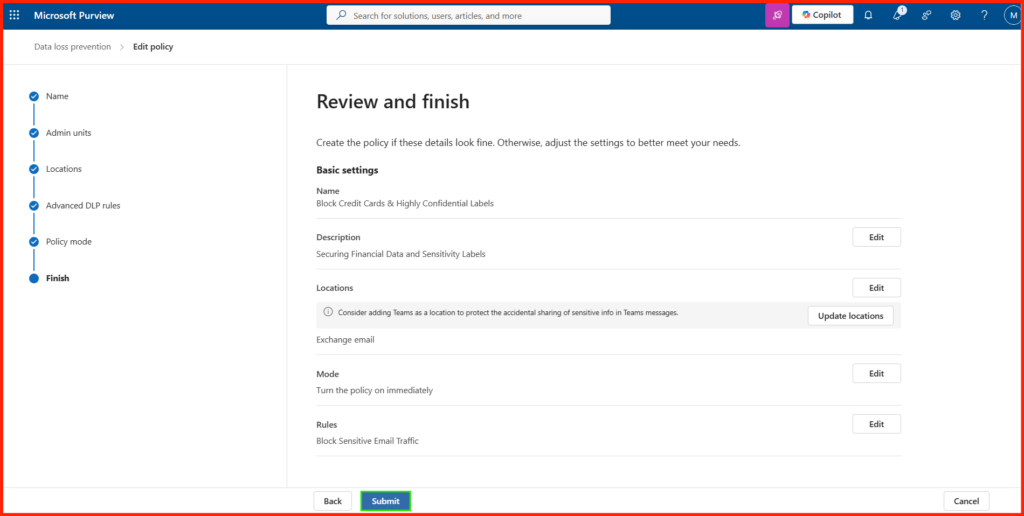
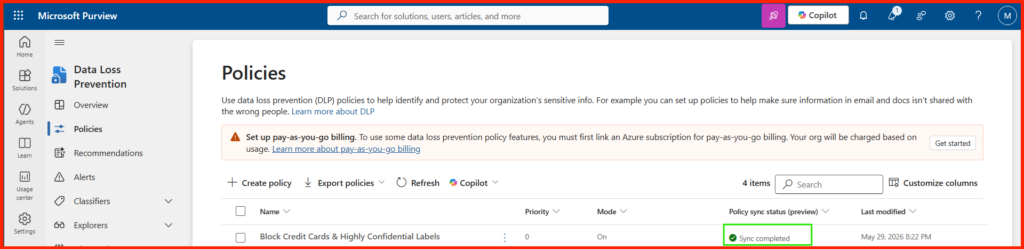
Note on Replication: Allow roughly 15 to 30 minutes for a brand new Exchange policy to fully replicate across Microsoft’s globally distributed transport servers before testing.
Demonstration:
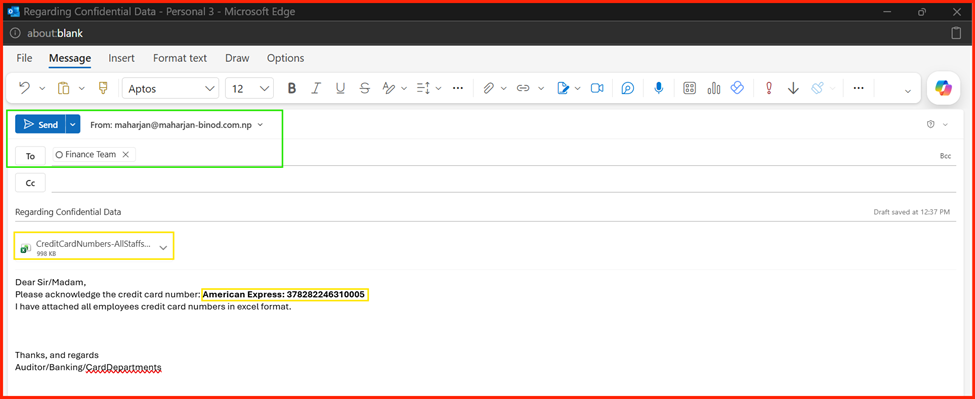
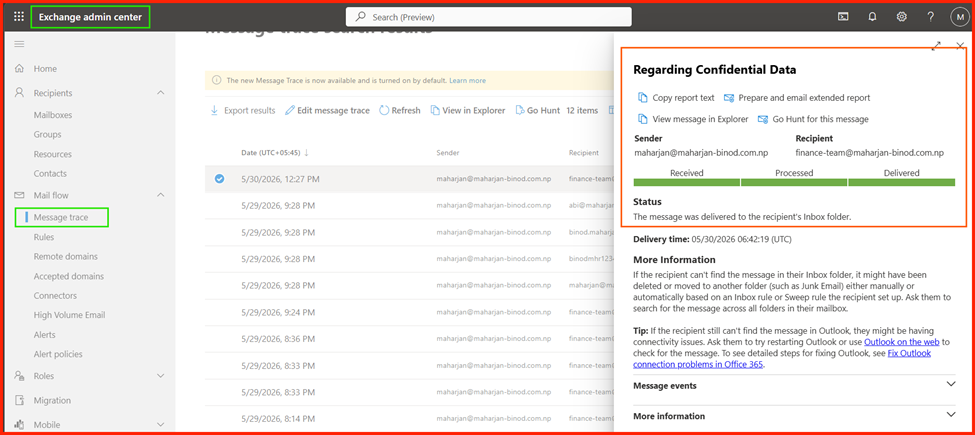
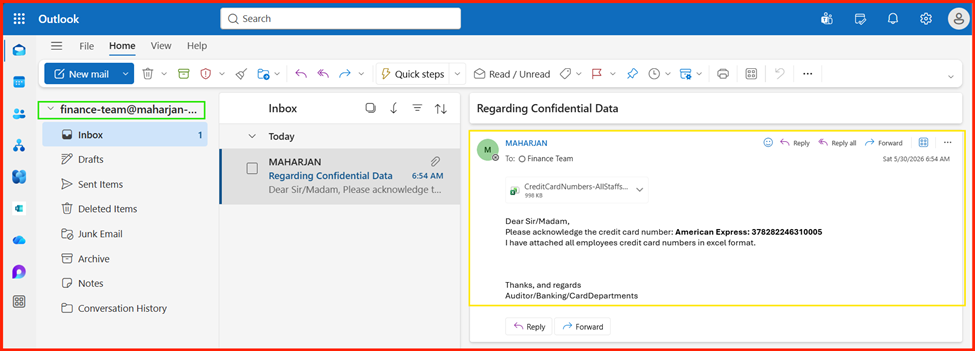
🧪 Test Scenario 1: The “Safe” Auditor-to-Finance Pipeline
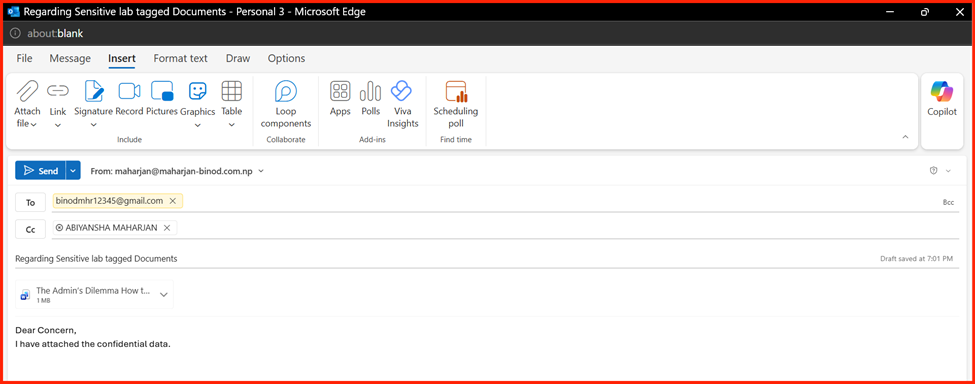
- Action: Log in as an individual user who is a member of the auditor distribution group (e.g., maharjan@maharjan-binod.com.np). Send an email containing a test credit card number or a “Highly Confidential/All Employees” sensitivity label strictly to the finance mailbox: finance-team@maharjan-binod.com.np.
- Expected Result: ALLOWED. The email successfully bypasses the Data Loss Prevention (DLP) block. This confirms that Microsoft Purview accurately processes the NOT exception rule, verifying that the sender is a member of the financedept@maharjan-binod.com.np group and the recipient is the designated finance mailbox.
Delivered.
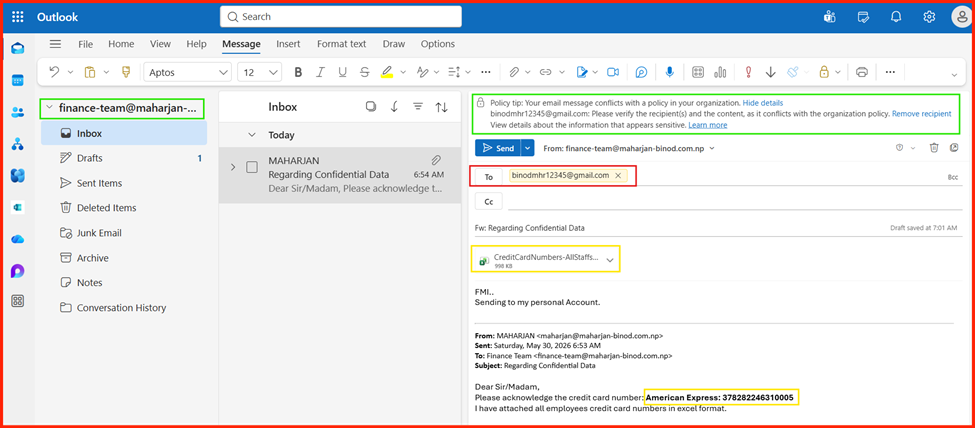
🧪 Test Scenario 2: Finance Sending to an Unauthorized Recipient
- Action: Using the same account (finance-team@…), send an email containing a test credit card number to a personal account like binodmhr12345@gmail.com or mhr-binod@outlook.com.
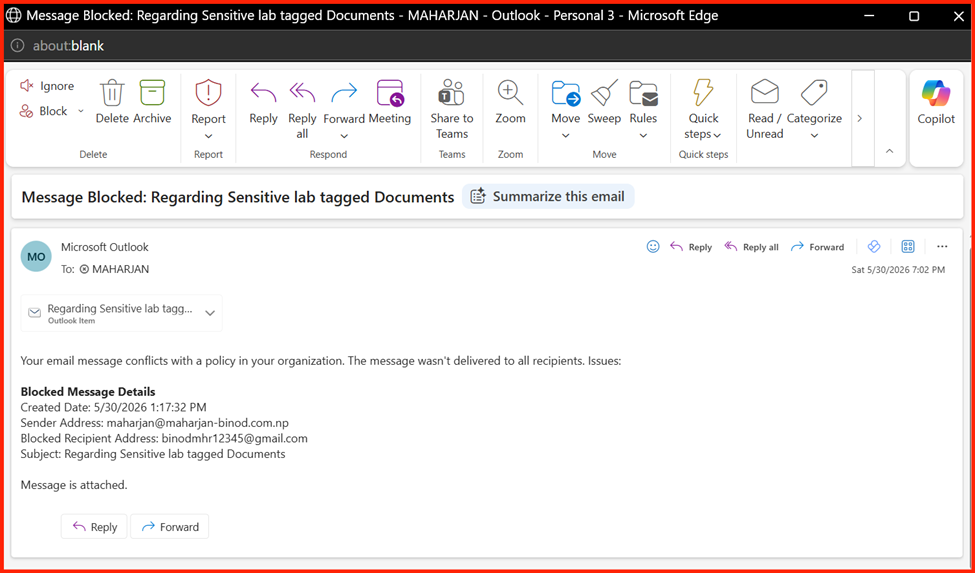
- Expected Result: 🛑 BLOCKED. This proves that your Finance team isn’t globally immune—the system still protects them if they accidentally leak data to the wrong external email.
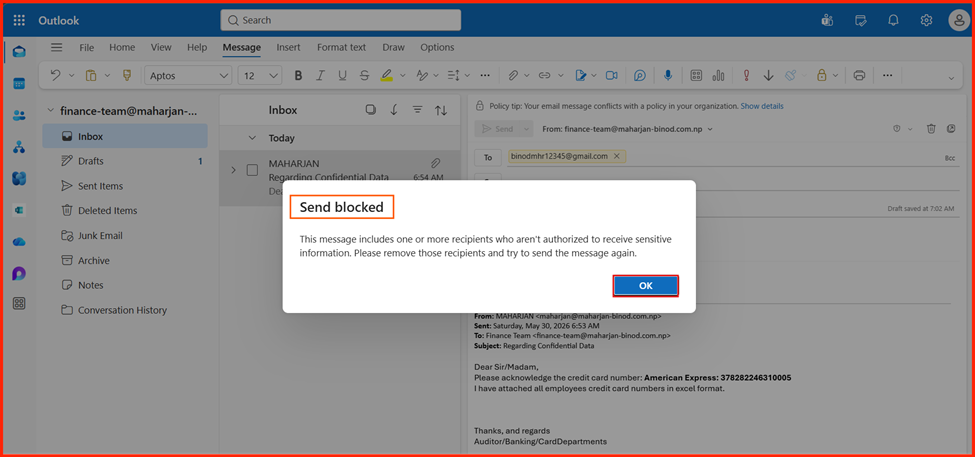
🧪 Test Scenario 3: Non-Finance User Sending Sensitive Data
- Action: Log in as a standard user outside of finance, like abi@maharjan-binod.com.np. Send an email with a test credit card number to anyone.
- Expected Result: 🛑 BLOCKED. The safety net catches the data immediately because the sender does not have the Finance exception privilege.
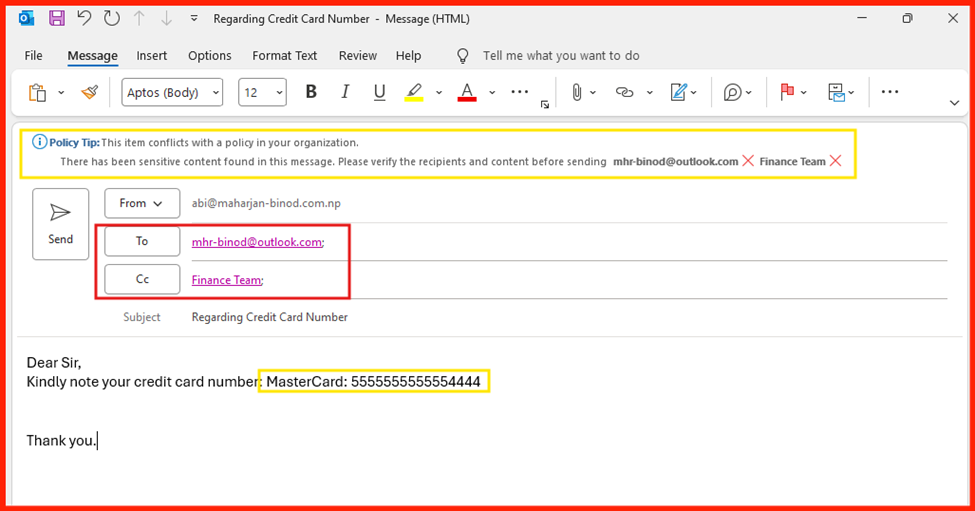
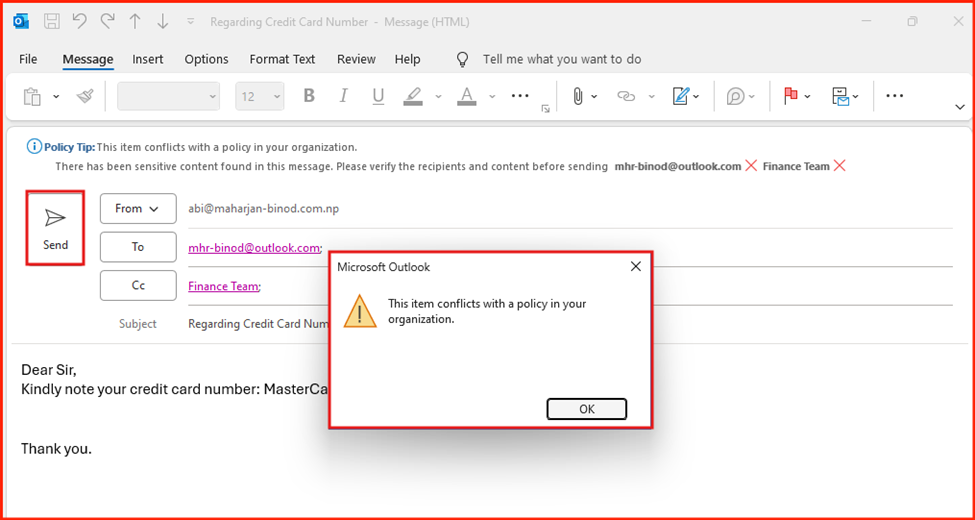
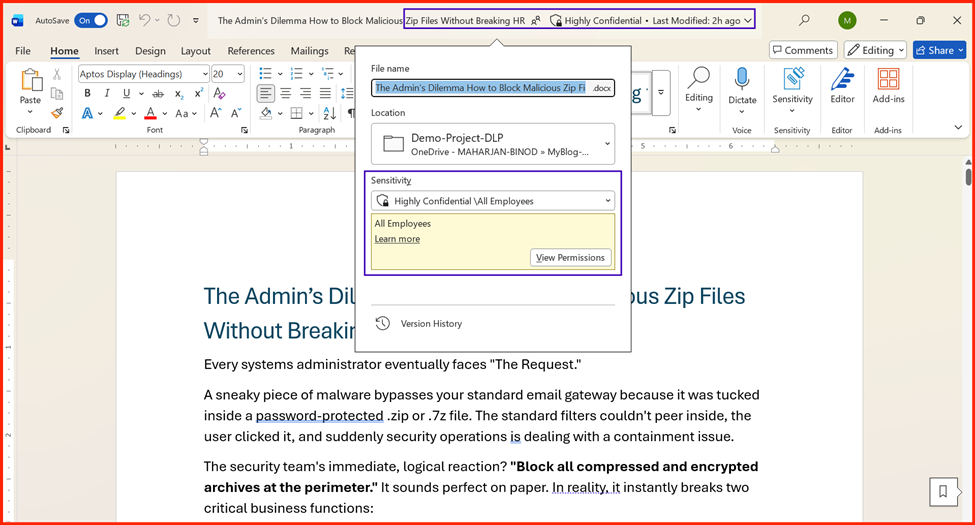
🧪 Test Scenario 4: Isolating the ‘Highly Confidential’ Label Trigger
- Action: From a standard account like abi@…, send an email that contains no credit card numbers at all, but has the Highly Confidential sensitivity label applied. Send it to any external recipient.
- Expected Result: 🛑 BLOCKED. This proves that your OR logic is working beautifully—the mail engine treats the data classifier and the metadata label as independent triggers.
The Conclusion
Securing Your Data Without Stopping Your Business
Implementing a DLP policy might feel like a daunting technical hurdle, but it doesn’t have to disrupt your organization’s daily flow. By taking a phased approach—starting with clear data classification, moving into simulation mode, and continuously refining your rules—you can build a security perimeter that protects your most sensitive assets without frustrating your team.
Remember, DLP isn’t just about locking down files; it’s about creating a culture of data awareness. Start small, test thoroughly, and let your policies evolve alongside your business.
What’s Next?
Take two minutes to picture how these scenarios would play out in your own organization. What if, instead of naming specific individuals, your rules targeted entire groups—like defining the sender as “any member of the Finance department” and the recipient as “anyone in the Marketing/HR team”? Or, what if you shifted the focus entirely—instead of a blanket block on everyone, the restrictions only applied when data tried to leave your organization? Think about how these shifting scenarios match up with your company’s daily workflows.
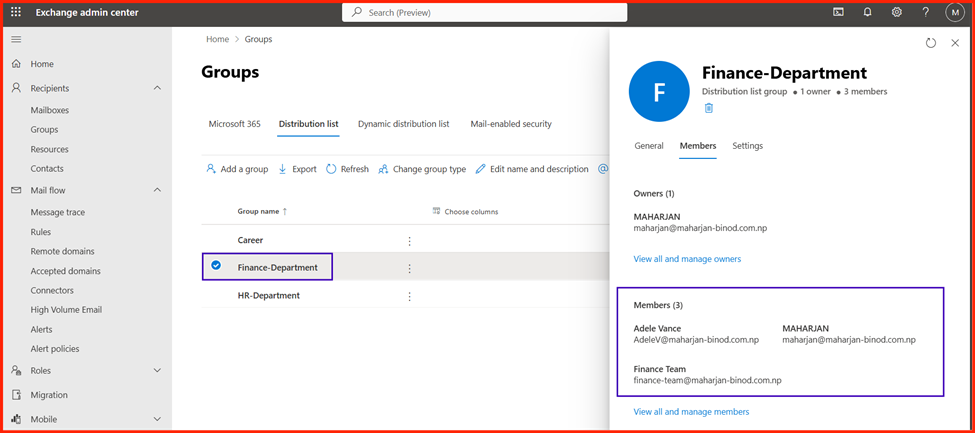
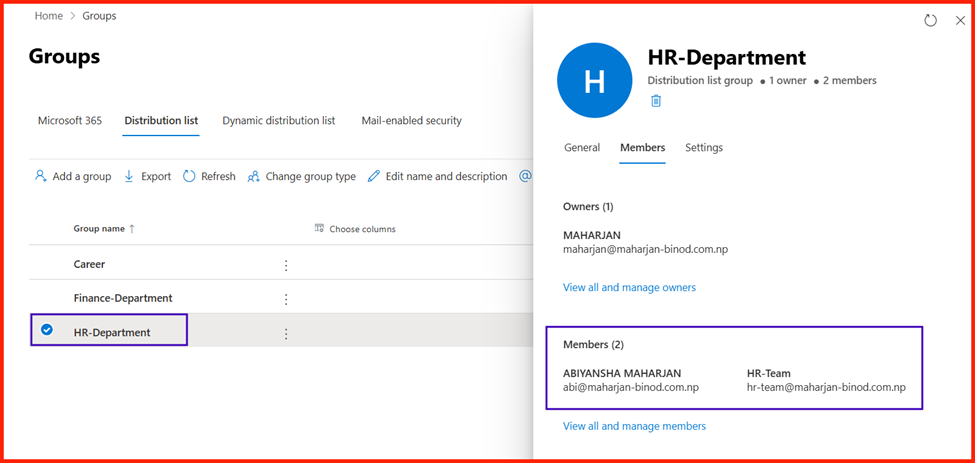
Changed the Specific Recipients User to Distribution Group:
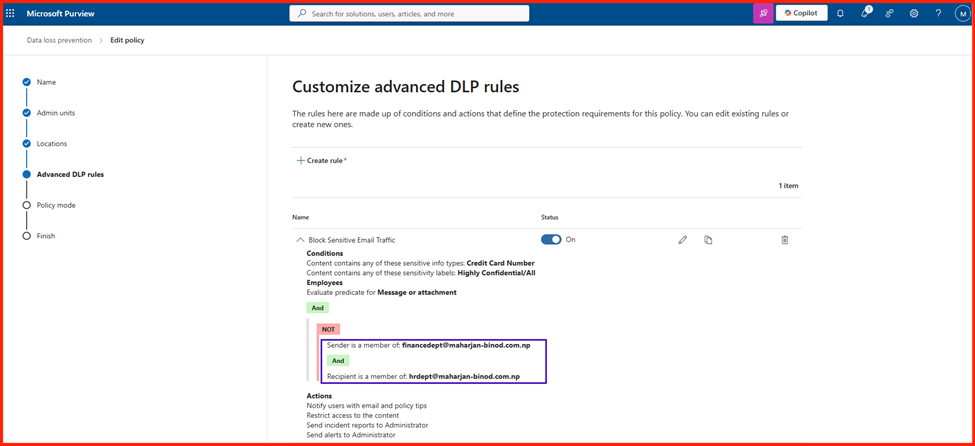
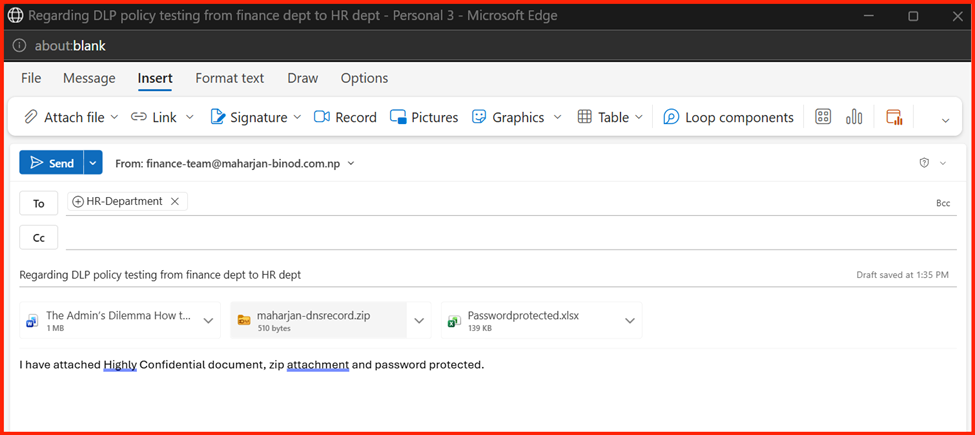
The Rule: Members of the Finance Department are permitted to send sensitive data only to members of the HR Department. Any attempt to share this data with any other internal or external recipient is automatically blocked.
Validating the DLP rule: Sending Email with attaching “Highly Confidential” documents and “Sensitive Content Type”.
Results:
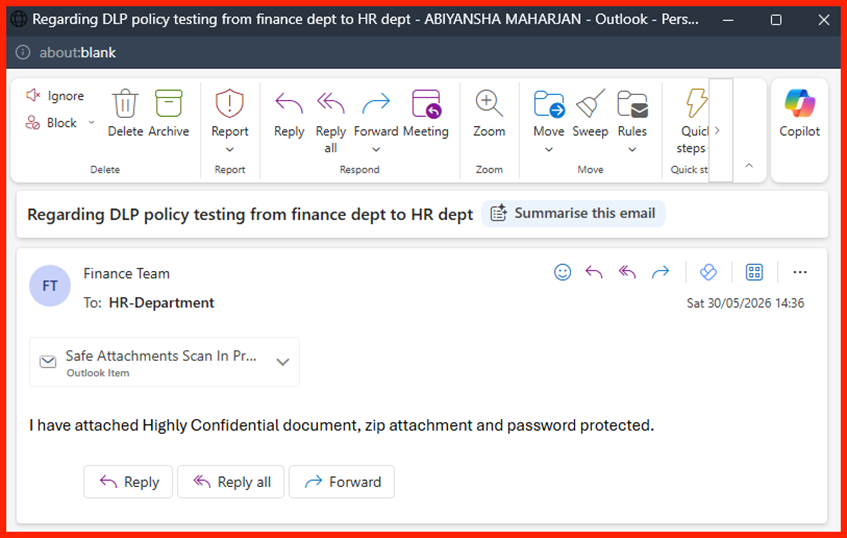
Done!